Short answer: nothing can guarantee a number won't be banned. WhatsApp's Terms of Service treat bulk and automated messaging from its apps as impermissible, and numbers are usually restricted after recipients block or report them. Only message people who agreed to hear from you, keep lists small and personal, space messages out, make it easy to opt out, and move large-scale marketing to the official WhatsApp Business Platform.
What WhatsApp's rules say
Start with the uncomfortable part. WhatsApp's Terms of Service list "bulk messaging, auto-messaging, auto-dialing, and the like" among the communications you may not send through its apps. For businesses that want to message many people, Meta offers the WhatsApp Business Platform (the API), which requires opt-in and pre-approved message templates.
So any tool that sends many messages from a normal WhatsApp or WhatsApp Business app account, including BlackCat's bulk messaging, carries some risk. Anyone who promises "no ban" is not being honest. What you can do is send the kind of messages people expect and welcome, which is what keeps numbers healthy in practice.
Why numbers get blocked
WhatsApp doesn't publish a daily limit for the apps. In practice, restrictions follow signals that people don't want your messages:
- Recipients block or report the number.
- Many messages go to people who never saved your number or never talked to you.
- The same text goes to many people in a short burst.
- A brand-new number suddenly sends a lot.
- Few people reply, and many messages fail.
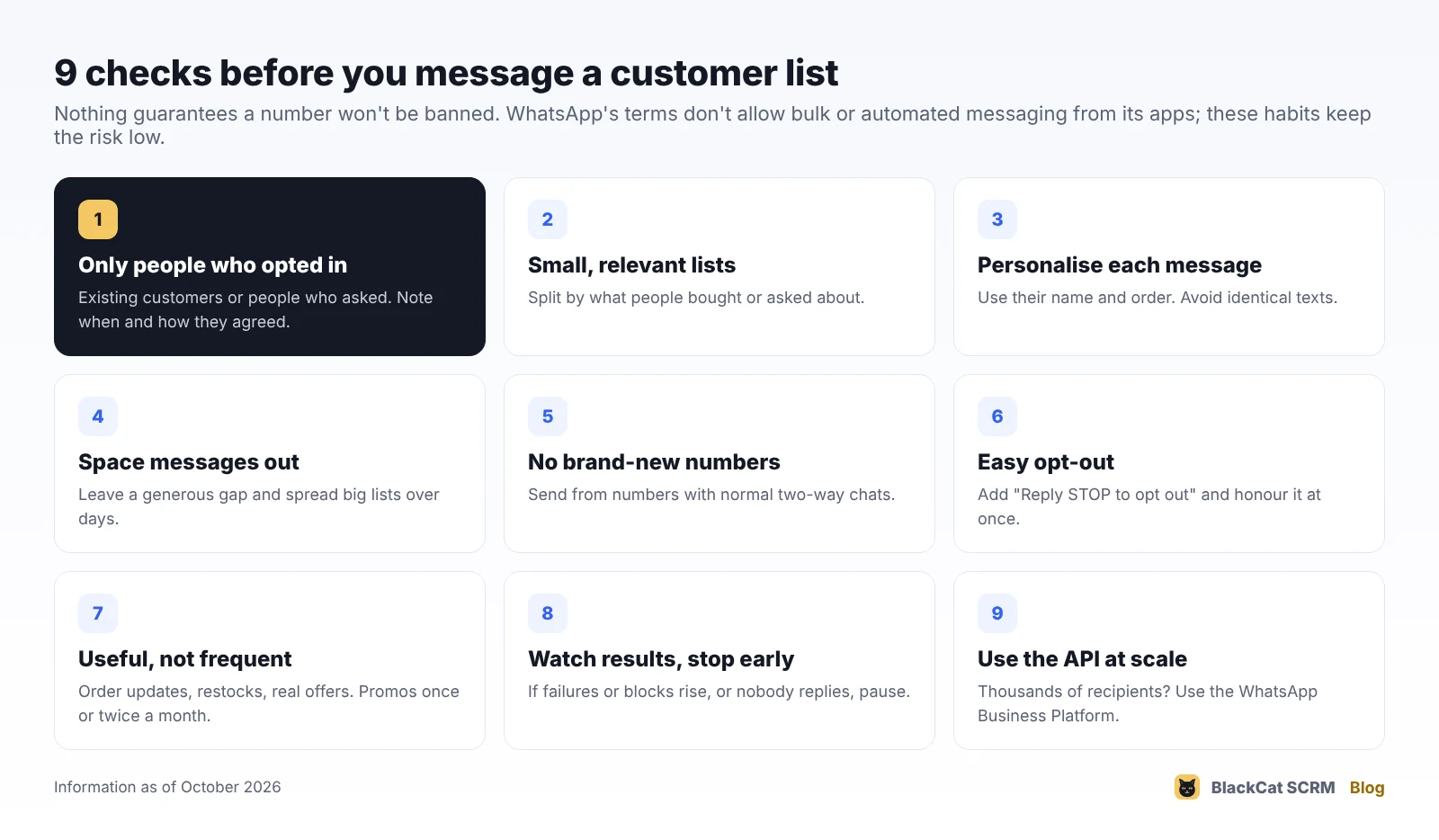
The checklist
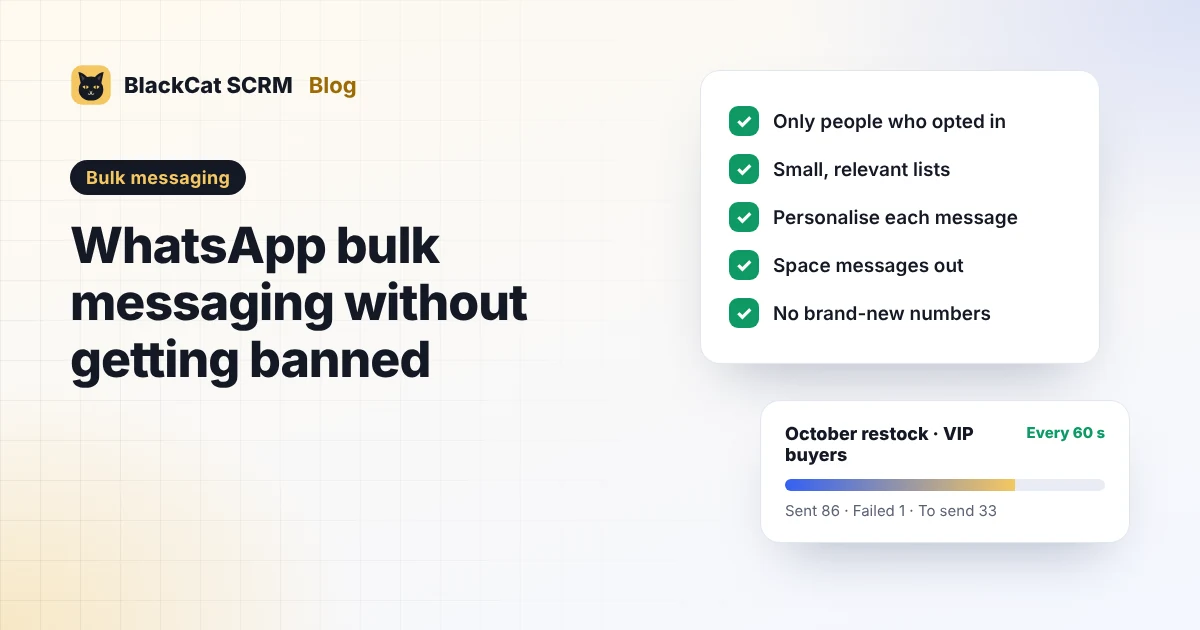
- Only message people who opted in. Existing customers who gave you their number to hear from you, or contacts who asked for updates. Note when and how they agreed.
- Keep lists small and relevant. Split by what people bought or asked about ("VIP buyers", "expo leads") instead of one big list.
- Personalise every message. Use their name and mention their order or product. Identical texts look like spam to people and to WhatsApp.
- Space messages out. Leave a generous gap between messages and spread a large list over several days.
- Don't send from a new number. Use numbers that already have normal two-way conversations.
- Make opting out easy. Add a line such as "Reply STOP if you'd rather not get these," and remove those people straight away.
- Send something useful, not often. Order updates, restocks of what they asked for, real offers. Once or twice a month is plenty for promotions.
- Watch the results and stop early. If failures or blocks rise, or nobody replies, pause and rethink the list or message.
- Use the official API at scale. For thousands of recipients or regular campaigns, the WhatsApp Business Platform is the route WhatsApp intends.
Data-protection law applies too. In Malaysia, for example, the Personal Data Protection Act covers using customers' personal data for direct marketing, so keep a record of consent and honour opt-outs.
How BlackCat's bulk messaging supports this
BlackCat SCRM's bulk messaging is built for messaging your own opted-in contacts on WhatsApp and Telegram, not for cold outreach:
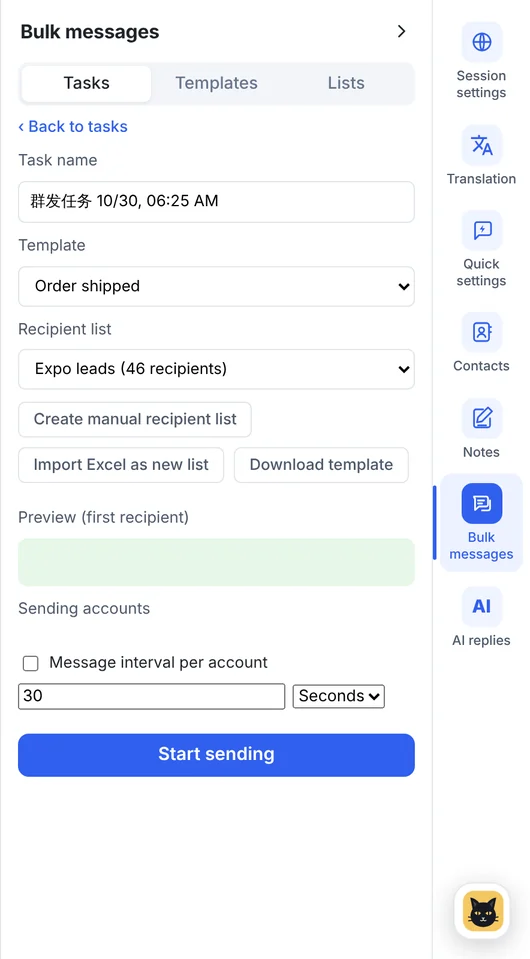
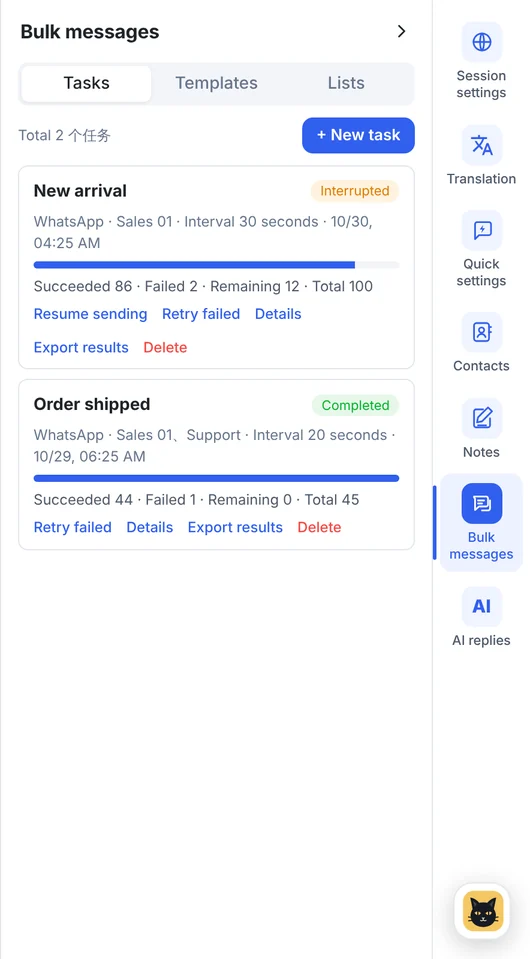
- Build lists from your recent chats or an Excel file, so you can stick to people you already talk to.
- Templates with a name variable for personal messages.
- A sending interval from 1 second to 5 hours. Choose a long one.
- Live progress, retries for failures, and results you can export to remove bad numbers.
Every customer also agrees to our user commitment: lawful use, no spam or fraud, and following each platform's rules.
FAQ
How many WhatsApp messages can I send per day without a ban?
WhatsApp doesn't publish a number for its apps, and it depends mostly on how recipients react. A small list of people who expect your message is far safer than a large list of strangers.
Can BlackCat SCRM stop my number from being banned?
No. It helps you send personal, spaced-out messages to your own contacts, but WhatsApp decides on bans. Follow the checklist above and its terms.
Does bulk messaging work on LINE, Messenger or Zalo?
In BlackCat, bulk messaging and contacts work on WhatsApp and Telegram only.
When should I switch to the WhatsApp Business API?
When you message thousands of people, run regular campaigns or need automated notifications. The API needs opt-in, approved templates and per-message fees, and it's the route WhatsApp built for volume.