Cross-border e-commerce
Answer buyers from every market in their language and send new-arrival messages to your customer lists.
BlackCat SCRM runs all your WhatsApp, Telegram, LINE, Messenger, TikTok, Zalo and X accounts side by side. Type in your language and customers read theirs, and let AI answer from your own product knowledge.
Log in to as many accounts as your plan allows, on these platforms
Your customers message you on WhatsApp, LINE, Telegram and Zalo, in Thai, Arabic or Spanish. Your team shouldn't need five phones and a translator to keep up. BlackCat puts every account in one window, translates both ways and lets AI answer the easy questions, so your people can spend their time on the sales that need them.
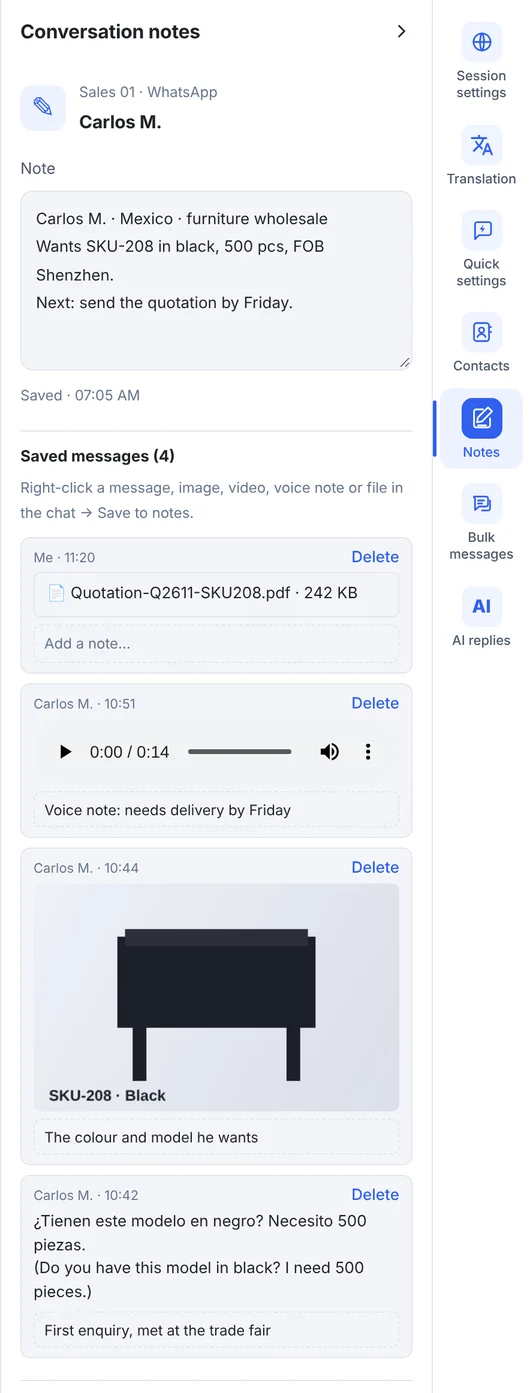
Right-click a message, photo, video, voice note or file in WhatsApp, Telegram or Messenger and choose "Save to notes". It goes into that customer's notes with who sent it and when, so prices, quotations and promises are easy to find later.
Stop switching devices, copy-pasting into translators and answering the same questions all day.
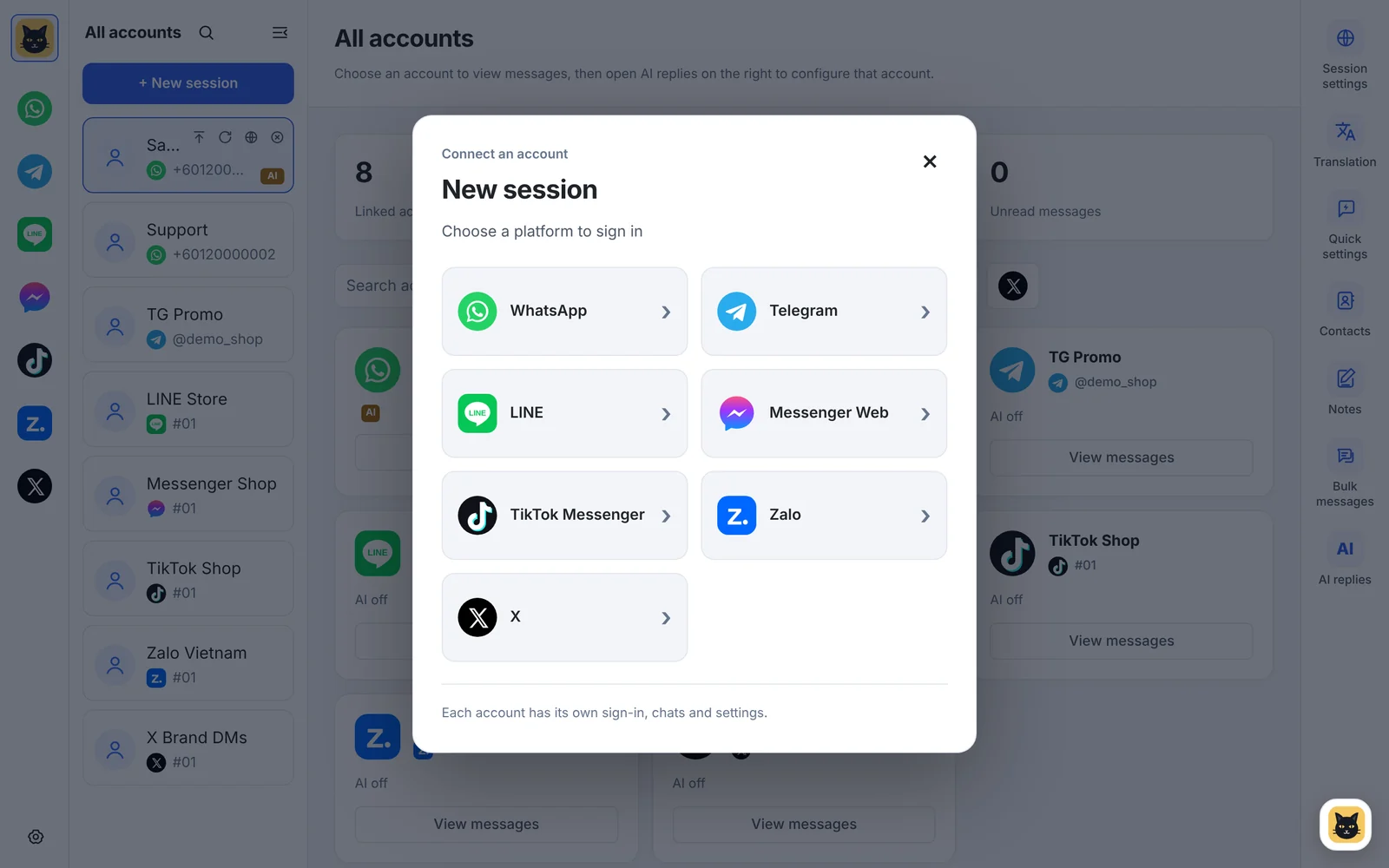
Add WhatsApp, Telegram, LINE, Messenger, TikTok, Zalo and X accounts and work them side by side. Each runs in its own isolated session.
Received messages appear in your language. Your replies go out in the customer's, automatically, in 65 languages.
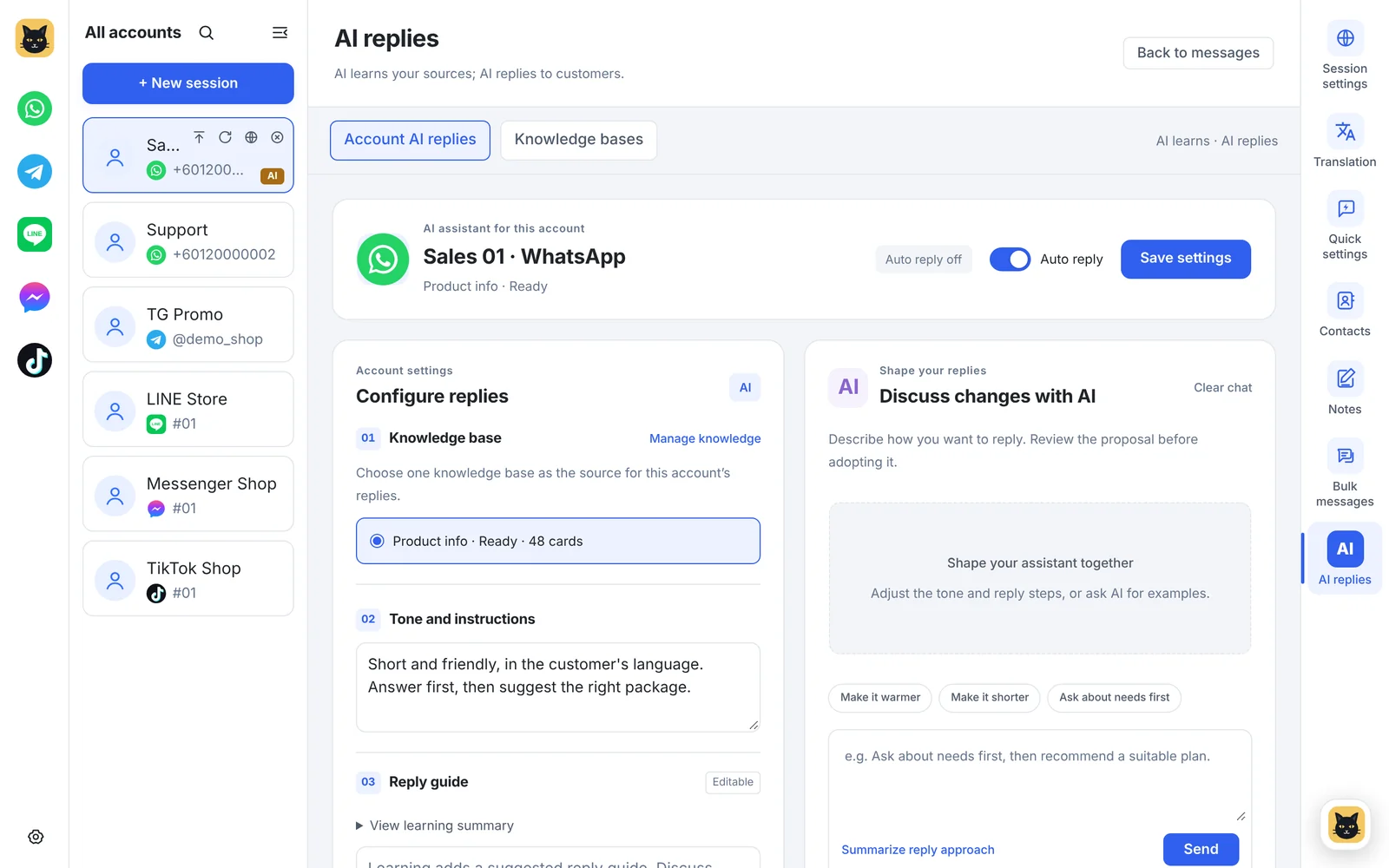
Teach it with text, links, Excel, PDF, Google Sheets or video. It answers new chats and hands off to a person when it isn't sure.
The built-in assistant explains features, changes settings for you and suggests replies you can drop into the chat.
Build lists from recent chats or Excel, personalise templates with each customer's name and track every task.
Chats and media are archived every hour to a folder you choose, with a built-in viewer. Nothing is uploaded to us.
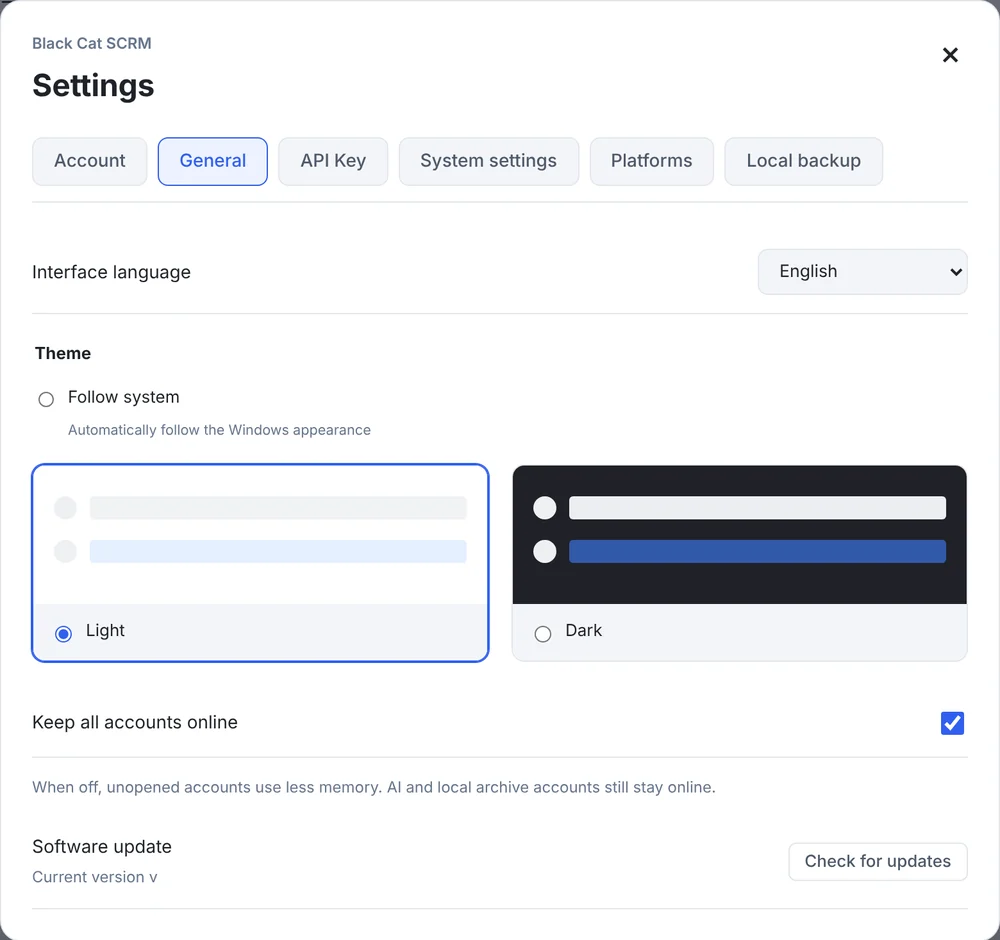
Real screens from the app, with sample data. The interface is available in Chinese and English, with light and dark themes.
No servers to set up and no API keys to buy. Install, log in and start chatting.
Contact us to pick a plan. We activate it and send your BlackCat login.
Run the installer and sign in. New versions download in the background.
Click "New session", choose WhatsApp, Telegram, LINE, Messenger, TikTok, Zalo or X and scan the QR code.
Set translation, quick replies and AI replies per account from the right-hand tool bar.
Answer buyers from every market in their language and send new-arrival messages to your customer lists.
Keep notes on every buyer, reuse quick replies for prices and terms, and back up every conversation.
Let AI answer common questions around the clock and hand the rest to a person.
Run your WhatsApp, LINE and Messenger accounts together with one set of quick replies.
Keep each client's accounts in separate sessions with their own proxy settings.
Handle inquiries in many languages and follow up with notes on each contact.
Sales and service teams in trading, logistics, education, retail and more on how they use BlackCat SCRM day to day.
I used to switch back and forth between several accounts, and customer messages slipped through easily. With everything in one window, following up is much easier.
Translation is what I use most. When I talk with customers in different languages, I no longer copy text back and forth.
I like to see how the AI answers in the test area first, and only turn on auto-replies once I'm happy with it. That gives me much more confidence.
Lists, message templates and tasks are kept separate, so preparing customer notices is more organised, and it's easy to check each item before sending.
Customer notes are really useful. We write down what the customer needs and the key points, so when a colleague takes over, it's all clear.
We put common questions into the knowledge base first, then test the AI's answers. It's clearer which ones it can answer on its own and which need a person.
What I discussed with a customer and what to bring up next time: with notes, I'm much less likely to forget. That detail suits everyday sales work.
Quick replies keep our usual wording, and I adjust it for each customer. Replies stay consistent and I don't type from scratch every time.
Customers ask about trips in different languages. Seeing the translation next to the original makes the context much easier to follow.
My biggest worry was messages scattered in different places. With my main accounts together, I don't keep hunting for windows when handling enquiries.
Each account can have its own alert settings, which is really practical. When I'm busy, I can adjust the chimes to suit my schedule.
BlackCat Assistant is handy for repetitive settings. I just say what to change and check the result, which beats digging through menus.
The interface switches between Chinese and English, and dark mode is easier on the eyes when I handle messages at night. It fits the way I work.
Quotes translated from Chinese.
Every plan includes 5 chat accounts (unlimited on Enterprise) and monthly AI points. Pay yearly and get about two months free.
$19.9/mo
5 accounts · translation · bulk messaging · backup
$39.9/mo
Adds AI auto-replies, real-time translation and the assistant
$59.9/mo
Unlimited computers · 5 knowledge bases · more AI points
$99.9/mo
Unlimited accounts, computers and knowledge bases
BlackCat SCRM (黑猫SCRM) is a Windows desktop app for teams that serve customers on many messaging accounts at once. It runs many WhatsApp, Telegram, LINE, Facebook Messenger, TikTok Messenger, Zalo and X accounts in one window, each in its own isolated session, and adds translation, AI auto-replies, bulk messaging, contacts, notes and local chat backup.
WhatsApp (including WhatsApp Business), Telegram, LINE, Facebook Messenger, TikTok Messenger, Zalo and X. Contacts and bulk messaging currently support WhatsApp and Telegram. TikTok Messenger, Zalo and X open as their own web pages with unread counts, pop-up alerts and message sounds; translation, quick replies, notes and AI replies aren't available on them yet. See what works on each platform.
Starter is $19.9/month, Pro $39.9/month, Business $59.9/month and Enterprise $99.9/month. Yearly plans cost $199, $399, $599 and $999, about two months free. See full pricing.
No. AI requests go through the BlackCat server and use your plan's monthly AI points. You can also add your own API key; requests made with your own key, and Google translation, do not use points.
BlackCat SCRM is part of Transfomind, a founder-led Malaysian software studio that builds websites, business systems and automation for SMEs. Transfomind builds the app, runs the license server and handles plans and support, so you talk to the people who build the product, in English or Chinese.
Tell us how many accounts you run and we'll recommend a plan, or book a 20-minute live demo.