Answers how-to questions
"How do I back up to another computer?" gets short, clear steps.
Click the cat in the corner. The assistant knows every part of BlackCat, so it can explain how something works or just do it for you, and it always checks before sending or deleting anything.
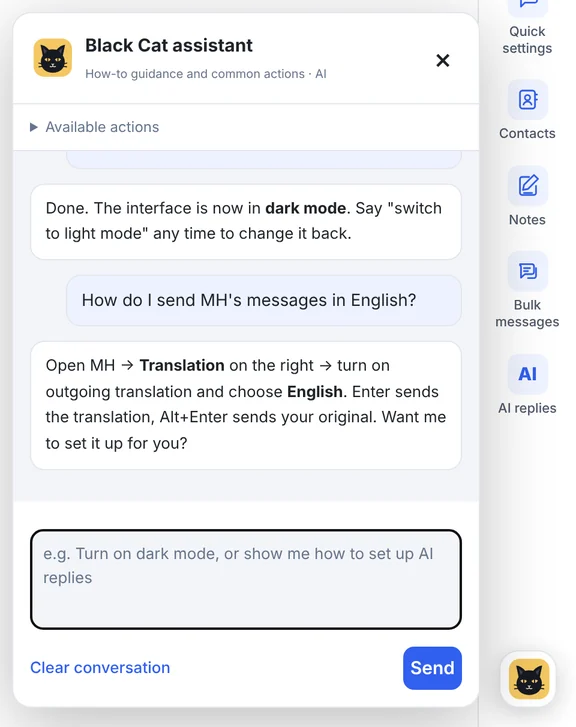
Real screen from v1.14.5 with sample data
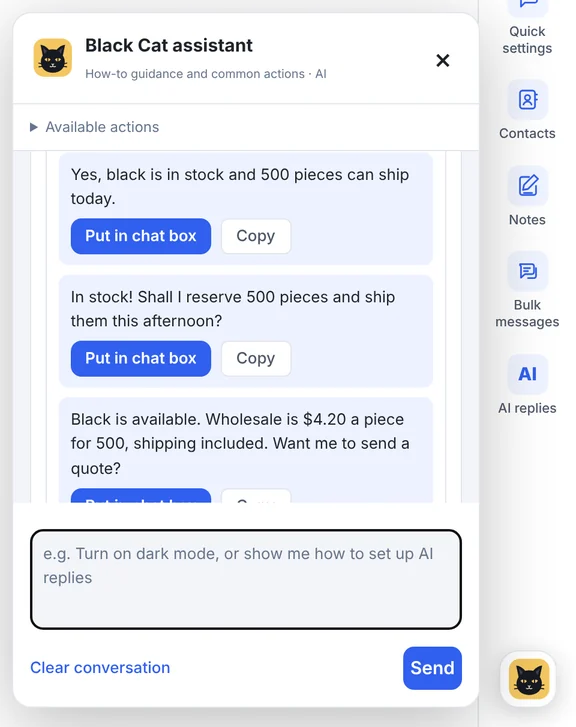
Ask it to read the chat and it offers 2–3 replies; one click puts the one you like in the typing box.
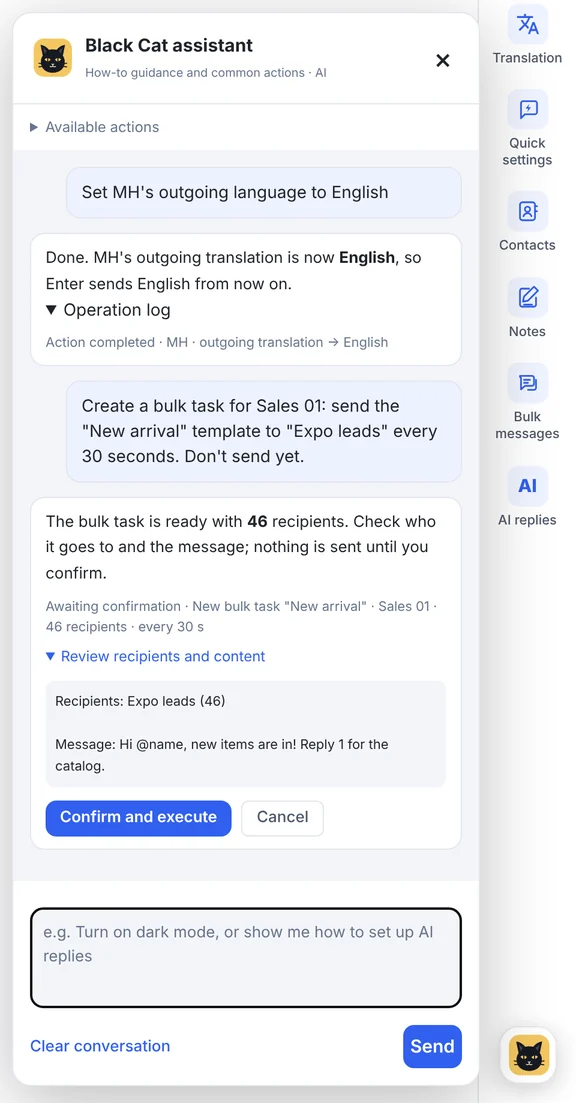
Tell it to change a setting and it's done, with a log of what changed. Ask it to set up a bulk task and it prepares the recipients and message, then waits for you to press Confirm.
"How do I back up to another computer?" gets short, clear steps.
"Switch to dark mode" or "mute Amy's chime" is done straight away.
It reads the current conversation, including photos and group senders.
Get 2–3 reply suggestions and drop the one you like into the typing box.
"Make a list from MH's last 5 WhatsApp chats, don't send yet."
Sending, deleting or switching on AI replies always shows a confirmation card first.
It sits in the bottom-right corner of every screen.
Type in Chinese or English, in your own words.
Check the confirmation card for anything that sends or deletes.
The assistant is included from Pro and uses your plan's monthly AI points. See plans →
It can prepare them, but anything that sends, deletes or switches on AI replies waits for you to confirm.
Yes. It can read or change other accounts in the background without moving you away from the one you're working in.
You can clear the assistant's conversation at any time; that doesn't delete your accounts, chats or backups.
Download the Windows client, or tell us how many accounts you run and we'll recommend a plan.