Lists from anywhere
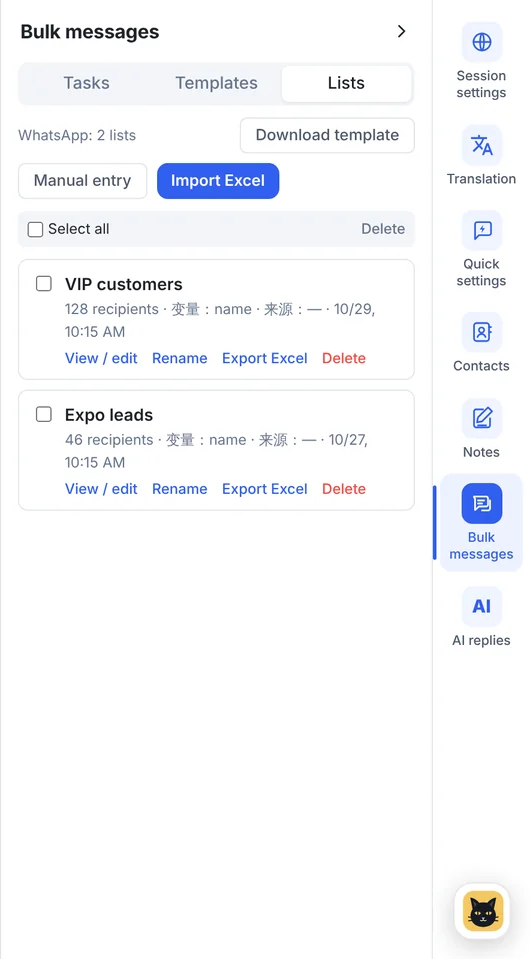
Build recipient lists from recent chats, type them in, or import Excel with the template provided.
Send new arrivals, announcements and follow-ups to customers who asked to hear from you, from one or several WhatsApp and Telegram accounts, and see exactly what was sent.
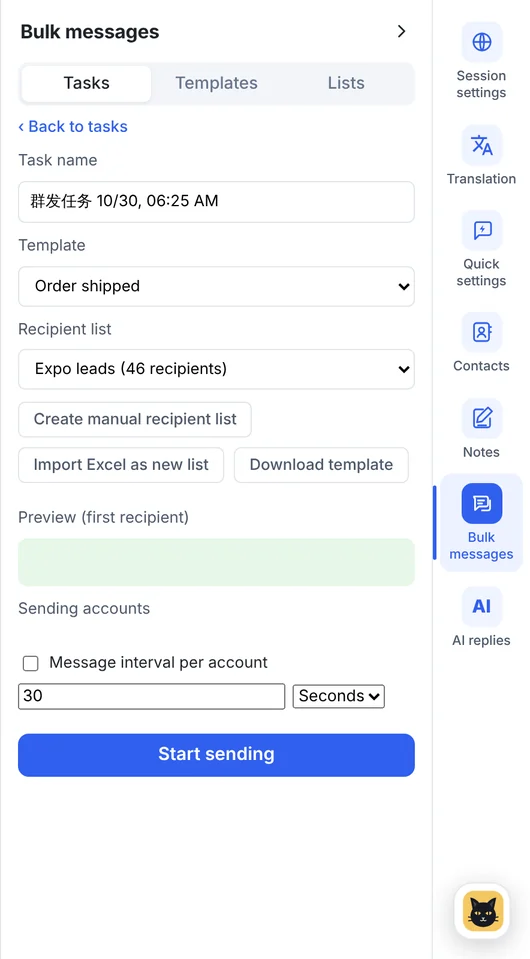
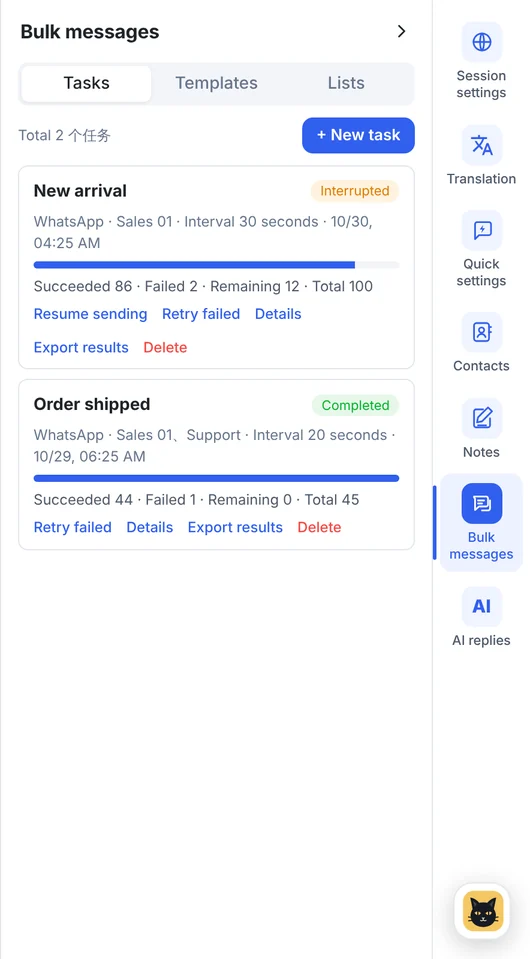
Real screen from v1.14.5 with sample data
Keep lists for different groups of customers, import them from Excel or edit them by hand.
Read each account's contacts, search by name or number and add them to a bulk list.
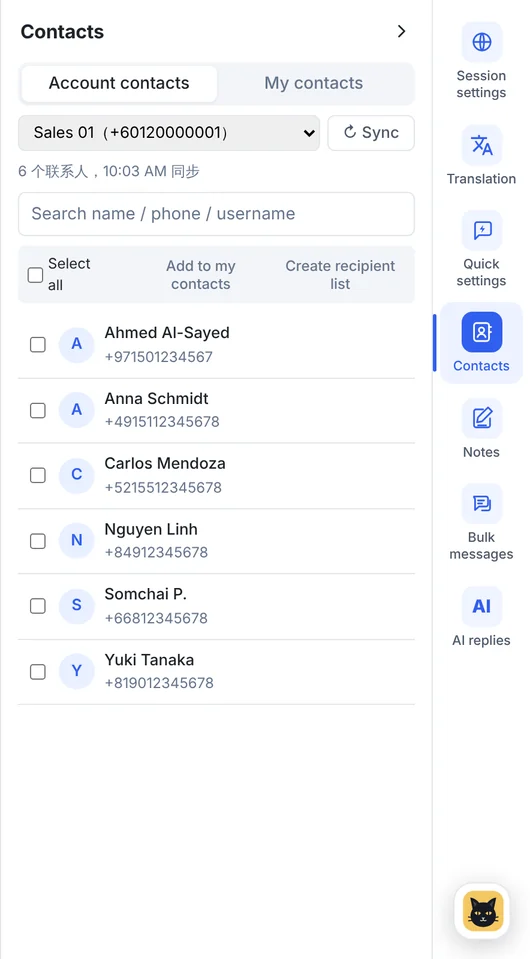
Keep contacts you add by hand or import from Excel, shared across your WhatsApp accounts.
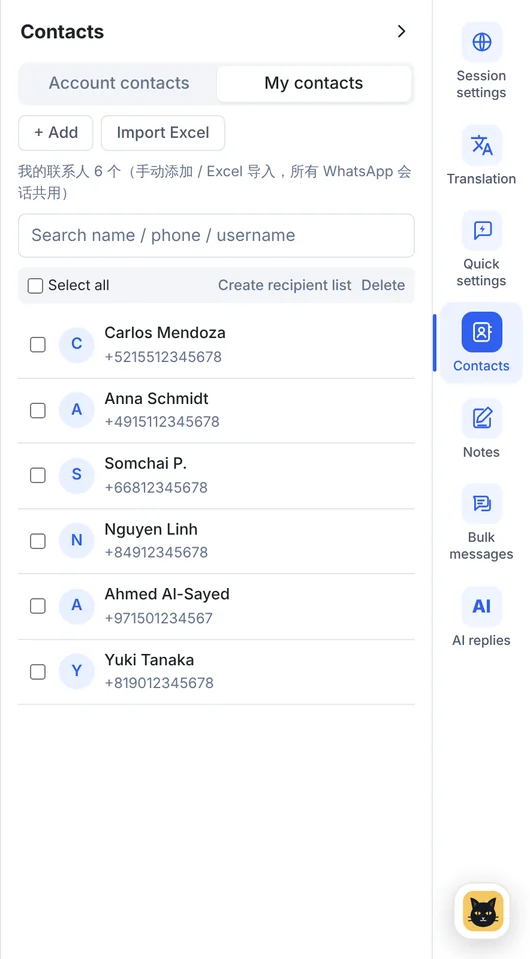
Build recipient lists from recent chats, type them in, or import Excel with the template provided.
Add the customer's name as a variable and preview the first message before sending.
Spread a task across one or more accounts.
Choose the gap between messages, from 1 second to 5 hours.
See sent, failed and remaining counts as the task runs.
Retry failed messages and export the results for your records.
Message only people who have agreed to hear from you, and follow each platform's rules.
From recent chats, by hand or from Excel.
Use the name variable and preview it.
Pick accounts and an interval, then track progress.
Bulk messaging is on every plan, for WhatsApp and Telegram. See plans →
Bulk messaging is meant for customers who agreed to hear from you. Platforms restrict unsolicited bulk messages and may limit accounts that send them; see our User Commitment.
WhatsApp and Telegram.
It is marked as failed in the task. You can retry failed messages, and check uncertain ones in the original chat first so nothing is sent twice.
Download the Windows client, or tell us how many accounts you run and we'll recommend a plan.