Scan the QR code with WhatsApp on your phone. Works with WhatsApp and WhatsApp Business. Contacts and bulk messaging included.
Supported platforms
Seven chat platforms, one window
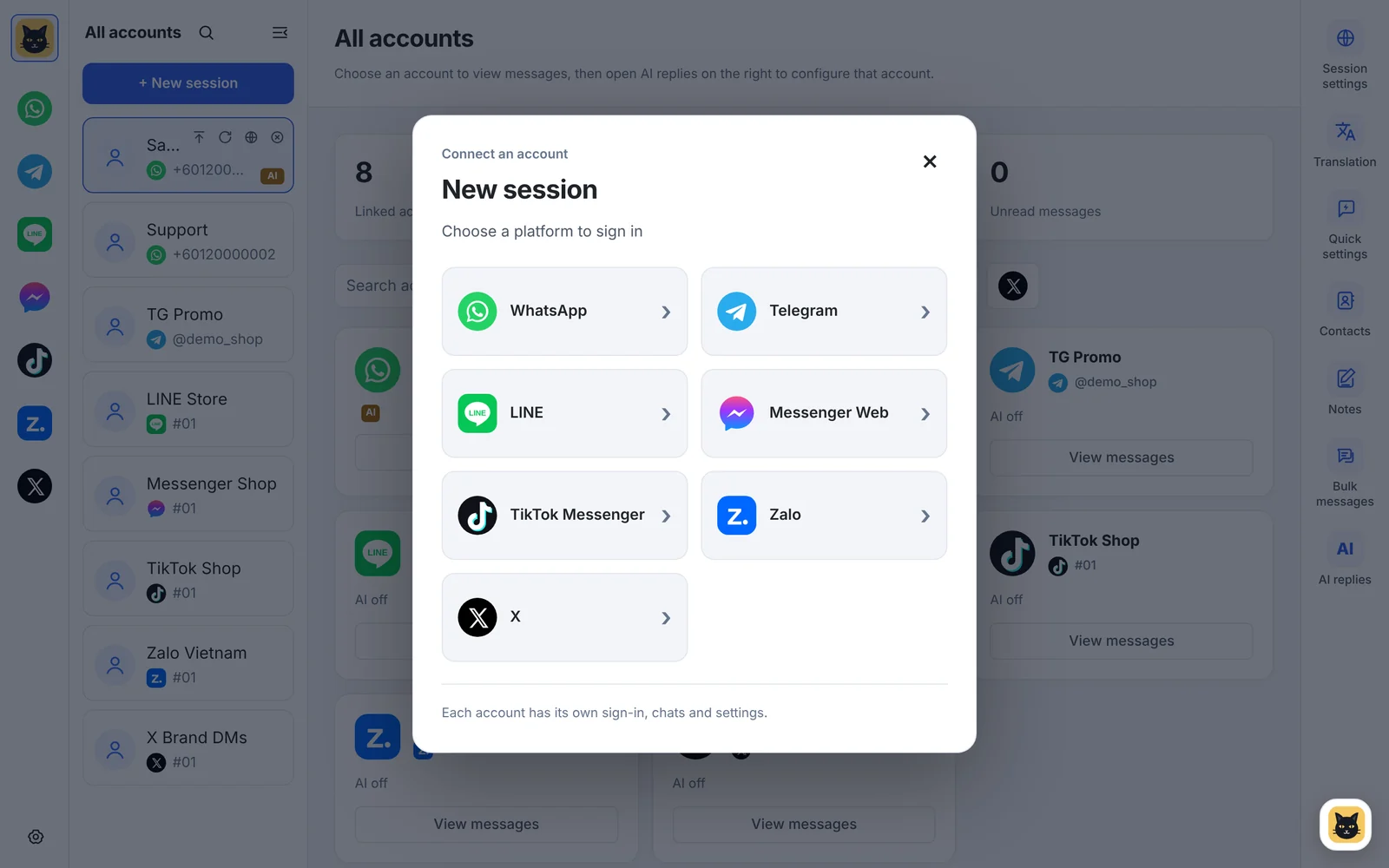
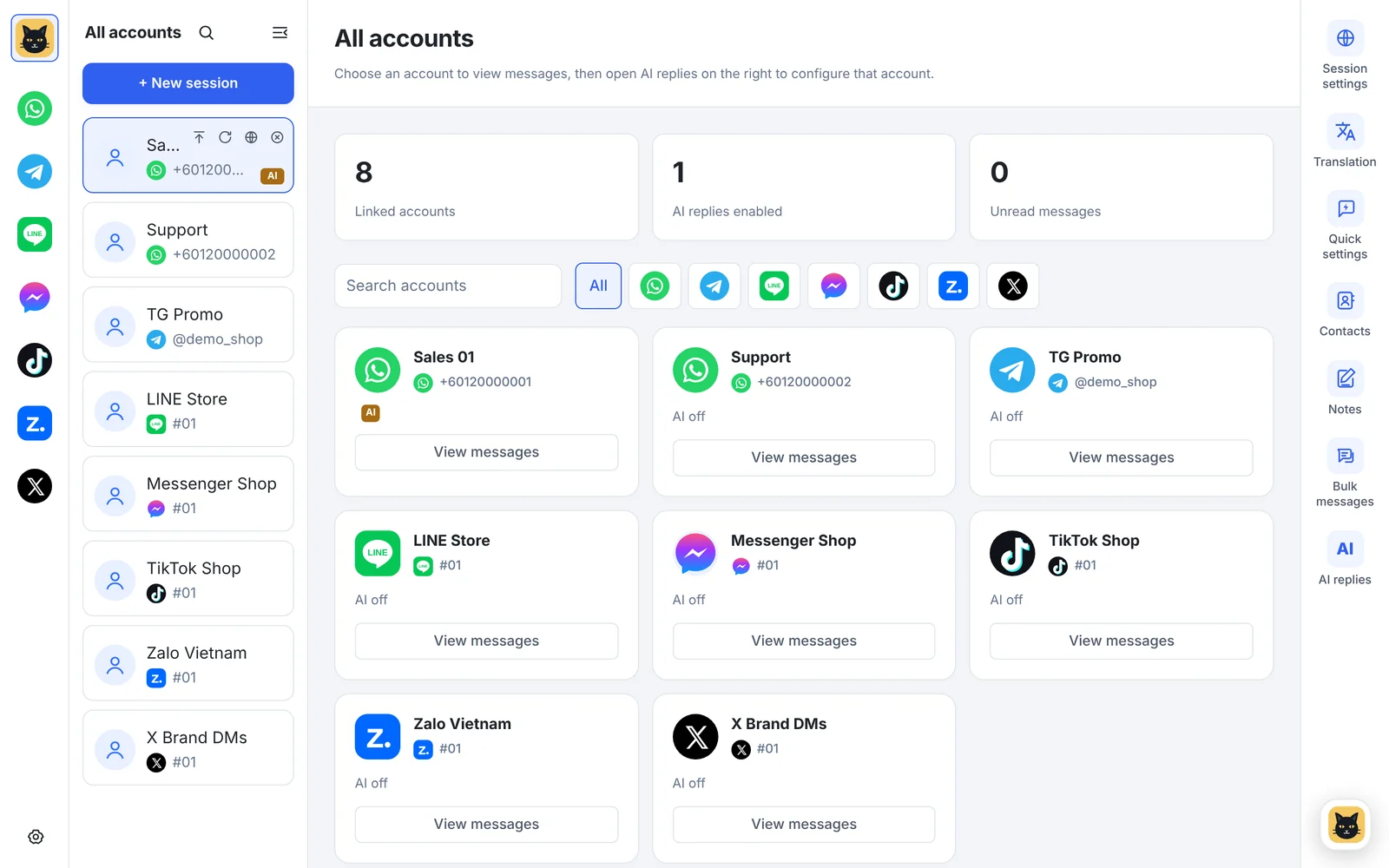
WhatsApp, Telegram, LINE, Messenger, TikTok, Zalo and X. Every account signs in on its own, in its own isolated session with its own proxy. Here is how each one signs in and which tools work on it.
Platform by platform
How each account signs in
Click "New session", pick a platform and sign in the same way you would on its web version.
Telegram
Scan the QR code or sign in with your phone number. Pop-ups come from Telegram's own notifications, so muted chats stay quiet. Contacts and bulk messaging included.
LINE
Signs in through the official LINE extension. The extension downloads by itself the first time you add a LINE account.
Facebook Messenger
Sign in to Facebook. The Messenger chat page opens straight after you sign in.
TikTok Messenger
Sign in with your TikTok account. Opens TikTok messages in its own page. It's hidden at first: switch it on under Settings → platforms.
Zalo
Scan the QR code with Zalo on your phone. Opens Zalo Web in its own page, popular for customers in Vietnam.
X
Sign in with your phone, email or username and password. Opens X messages in its own page. Google and Apple sign-in don't work inside the app.
Compare
What works on each platform
Every platform gets its own session, unread counts and alerts. The chat tools need the platform's web page to allow them, so they're on fewer platforms.
| Feature | Telegram | LINE | Messenger | TikTok | Zalo | X | |
|---|---|---|---|---|---|---|---|
| Isolated session and own proxy | Yes | Yes | Yes | Yes | Yes | Yes | Yes |
| Unread counts | Yes | Yes | Yes | Yes | Yes | Yes | Yes |
| New-message alerts | Windows | Pop-up | Pop-up | Pop-up | Pop-up | Pop-up | Pop-up |
| Message sound (9 to choose from) | Yes | Yes | Yes | Yes | Yes | Yes | Yes |
| Translation, 65 languages | Yes | Yes | Yes | Yes | Not available | Not available | Not available |
| Quick replies | Yes | Yes | Yes | Yes | Not available | Not available | Not available |
| Conversation notes | Yes | Yes | Yes | Yes | Not available | Not available | Not available |
| Save messages and media to notes | Yes | Yes | Not available | Yes | Not available | Not available | Not available |
| AI auto-replies | Yes | Yes | Yes | Yes | Not available | Not available | Not available |
| Contacts | Yes | Yes | Not available | Not available | Not available | Not available | Not available |
| Bulk messaging | Yes | Yes | Not available | Not available | Not available | Not available | Not available |
Windows: WhatsApp's own Windows notifications. Pop-up: BlackCat's pop-up in the corner of the screen. AI auto-replies need the Pro plan or above.
Alerts and sounds
Know which account needs you
- Unread counts everywhereEach account and each platform icon shows its unread count, so you can see where customers are waiting.
- Pop-ups you can act onNew messages pop up in the corner with the sender and the start of the message (you can hide the text). Up to 3 stack, and a click opens that account.
- 9 message soundsPick one sound for every account in System settings, or give an account its own sound in its Session settings. Each one can be played first.
- Only the platforms you useHide platforms you don't need and change their order in Settings.
Questions about platforms
Which platforms does BlackCat SCRM support?
WhatsApp (including WhatsApp Business), Telegram, LINE, Facebook Messenger, TikTok Messenger, Zalo and X. Each account signs in separately in its own isolated session.
Why don't TikTok, Zalo and X have translation or AI replies?
They open as their own web pages with unread counts, pop-up alerts and message sounds. Translation, quick replies, notes and AI replies aren't available on them yet. Contacts and bulk messaging work on WhatsApp and Telegram only.
Can I sign in to X with Google or Apple?
No. Google and Apple sign-in don't work inside the app, so sign in to X with your phone number, email or username and password.
Where is TikTok Messenger in the platform list?
It's hidden at first. Switch it on in Settings, where you can also hide other platforms and change their order.
Is WeChat supported?
No. WeChat isn't one of the supported platforms.
Do I need a separate phone for each account?
No. Each account signs in once, in the same way as its web version, and then stays in its own session in BlackCat.
Bring all your chat accounts together
Download the Windows client, or tell us which platforms you use and we'll recommend a plan.