Short answer: customer chats stay with the company only if the company owns the chat accounts. Put sales on company-owned numbers, keep the phones and computers they run on, and keep a local backup of every account. When someone leaves, follow a handover checklist: collect the phones, check the backup, hand the open chats to a colleague and change any shared passwords. Chats on a rep's personal number leave with them.
Why chats walk out of the door
On chat apps, the customer relationship lives in an account, and the account belongs to a phone number. If a rep sells from their personal WhatsApp, every buyer has that personal number saved, the whole history sits on the rep's phone, and when they leave the company keeps nothing. No tool can pull those chats back afterwards.
So the fix is mostly about ownership, set up before anyone resigns. Software then makes the handover quick.
Decide who owns each account
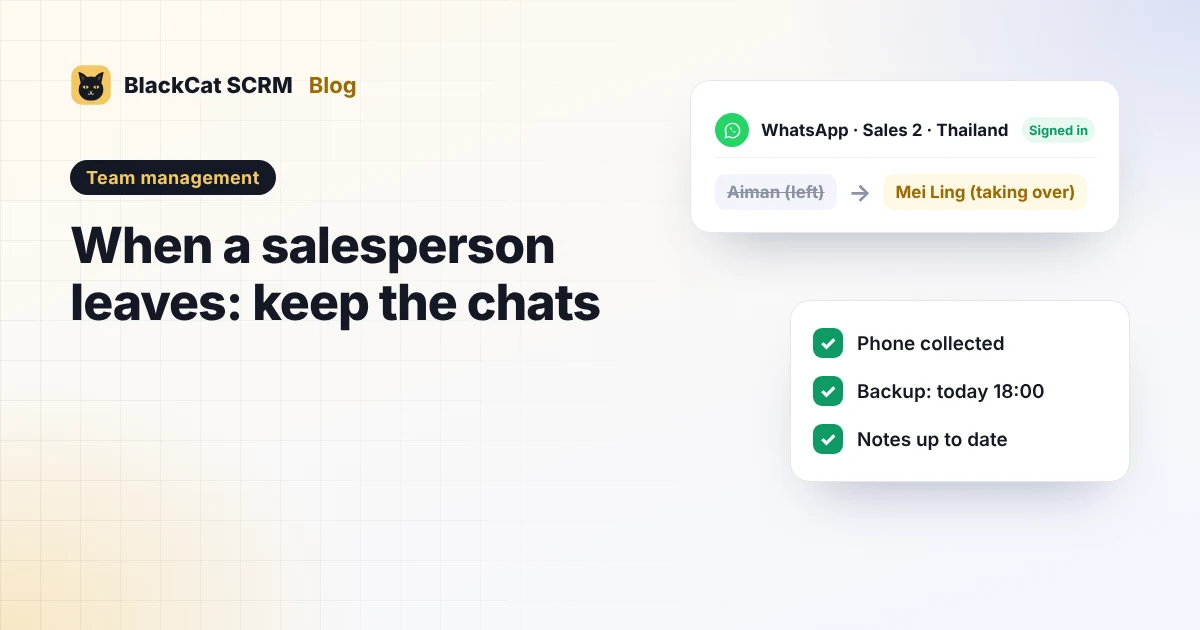
- Use company-owned numbers for sales. Buy the SIM cards in the company's name, one per rep or per market, and name each account after the role ("Sales 2 · Thailand"), not the person.
- Keep the phones and computers. Each WhatsApp account still needs its phone to stay signed in, so that phone is company equipment, like the laptop.
- Write it into the job. A line in the employment terms that work chats happen only on company accounts saves an awkward argument later.
- Treat customer data as the company's responsibility. In Malaysia, for example, the Personal Data Protection Act 2010 expects businesses to take practical steps to protect the personal data they hold, which includes customers' numbers and chat history.
The handover checklist
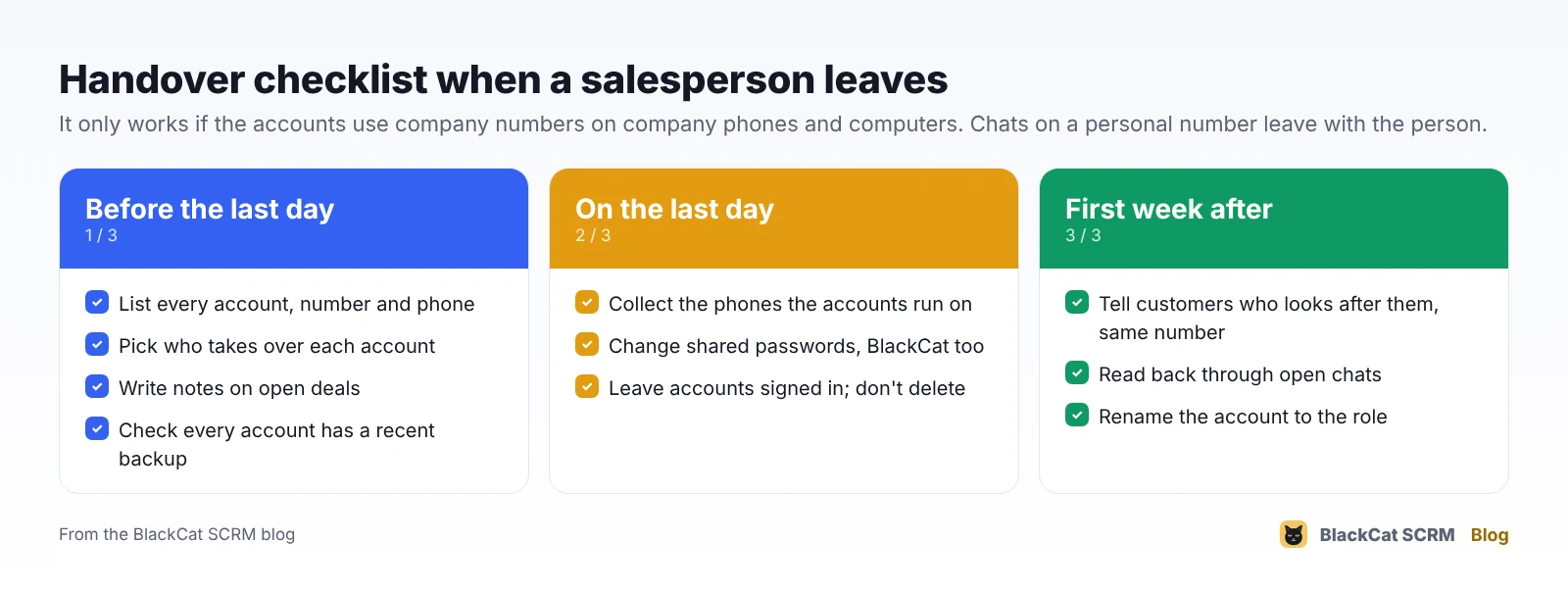
Before the last day
- List every account the person uses: numbers, platforms (WhatsApp, Telegram, LINE…), and which phone each one runs on.
- Pick who takes over each account, and have them sit in on the busiest chats for a few days.
- Ask for notes on open deals: what was quoted, what the buyer is waiting for, the next step and the date.
- Check that a recent backup exists for every account.
On the last day
- Collect the phones that the accounts run on, charged and unlocked with a company PIN.
- Change shared passwords the person knew, including the computer's and your BlackCat login (ask us if you need help).
- Leave the accounts signed in on the company computer for the new owner; don't delete them.
In the first week after
- Send a short note from the same number to active customers: "Hi, I'm [name] and I'll be looking after your orders from now on."
- Read back through open chats so nothing promised slips.
- Rename the account if it carried the old rep's name.
How BlackCat SCRM helps
When the accounts run in BlackCat SCRM on a company computer, most of the handover is already done:
- Accounts stay signed in on the company computer, each in its own session, so the new owner simply opens them.
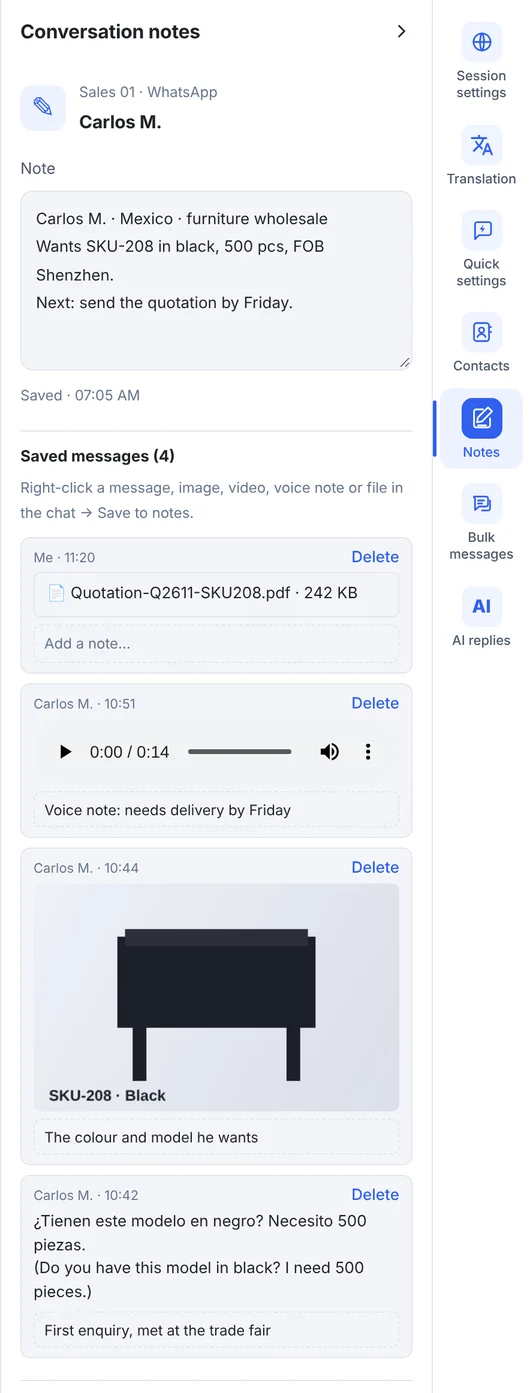
- Customer notes are saved per account and per customer next to the chat, so the next person sees what was agreed. Right-click a key message, quotation file or voice note in WhatsApp, Telegram or Messenger to save it into those notes too.
- Shared quick replies keep prices and terms the same whoever answers.
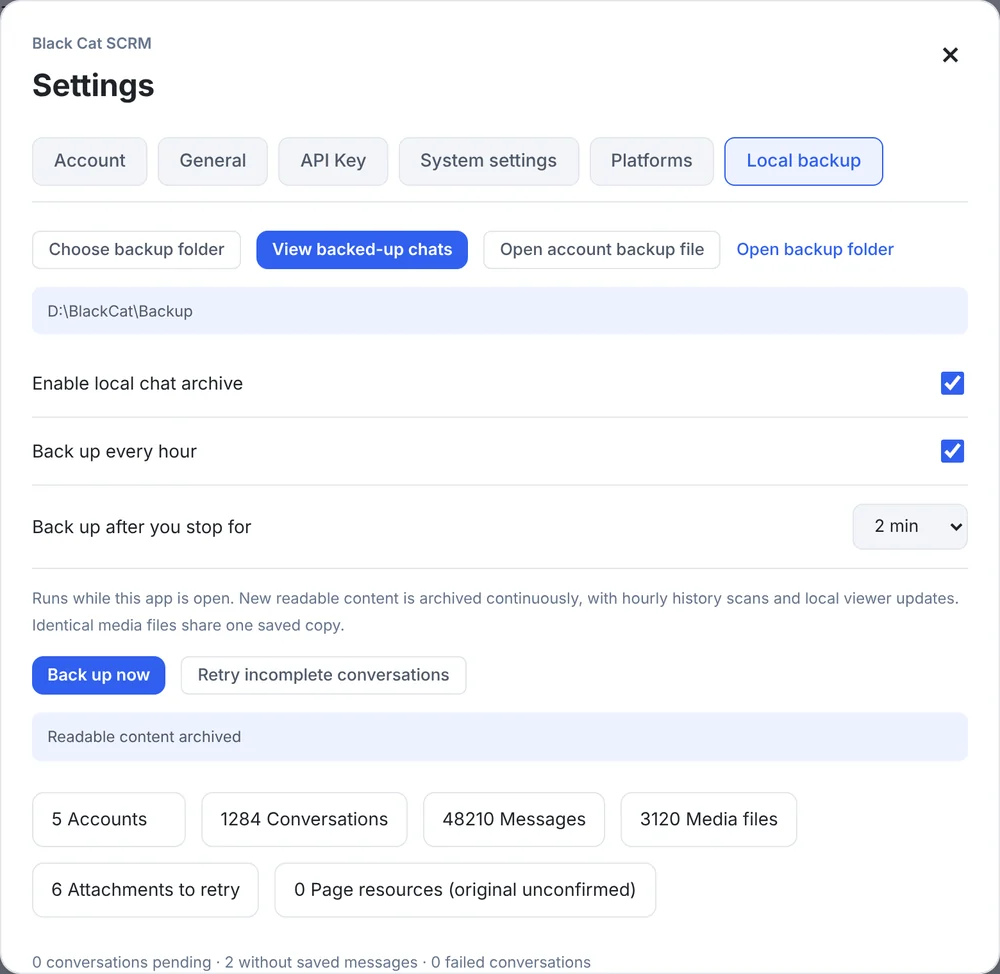
- Local backup archives chats and media every hour to a folder you choose, with one
.blackcatfile per account that opens on another computer with BlackCat installed. - If an account is deleted from BlackCat, its backup isn't: it moves to "Deleted account backups", named by the number and the date it was deleted.
- The backup viewer searches by customer name, number or username, so you can find what was said to a buyer months ago.
What can't be saved
- Chats on a personal number the company never had access to.
- History the platform's web version can't load. Backups save what can be read and downloaded at the time, so keep the platform's own exports for important records too.
- Notes on a computer you've wiped. Notes live in BlackCat on the computer where they were written, so check them before you replace or reset that machine.
Sources
- Personal Data Protection Department, Malaysia: Personal Data Protection Act 2010.
- BlackCat SCRM user guide: notes, quick replies and local backup.
FAQ
Can I get chats back from a former employee's personal WhatsApp?
No. Chats on a personal account are on that person's phone and account. The way to avoid this is to sell only from company-owned numbers.
Does deleting the old rep's account from BlackCat delete the backup?
No. The backup moves to "Deleted account backups" and stays until you delete it yourself.
Can the new salesperson keep using the same WhatsApp number?
Yes, if the number is the company's. Keep the phone it runs on, leave the account signed in, and let customers know who is answering now.
Are customer notes inside the .blackcat backup file?
The backup file holds the account's backed-up customers, messages and downloaded attachments. Notes are kept in BlackCat on the computer where they were written.