Short answer: WhatsApp Web shows one account per browser profile, and linked devices put one account on up to four extra devices. To work several different numbers side by side on a PC, either open each in its own browser profile (free, but messy past two or three accounts) or use a multi-account desktop app that keeps every number in its own isolated session in one window.
Why one WhatsApp at a time doesn't work for teams
One WhatsApp account belongs to one phone number. A business quickly ends up with several: each sales rep has a number, the Thai market has its own, and after-sales has another. Switching between phones or logging in and out of WhatsApp Web wastes time, and messages get missed when nobody is looking at the right screen.
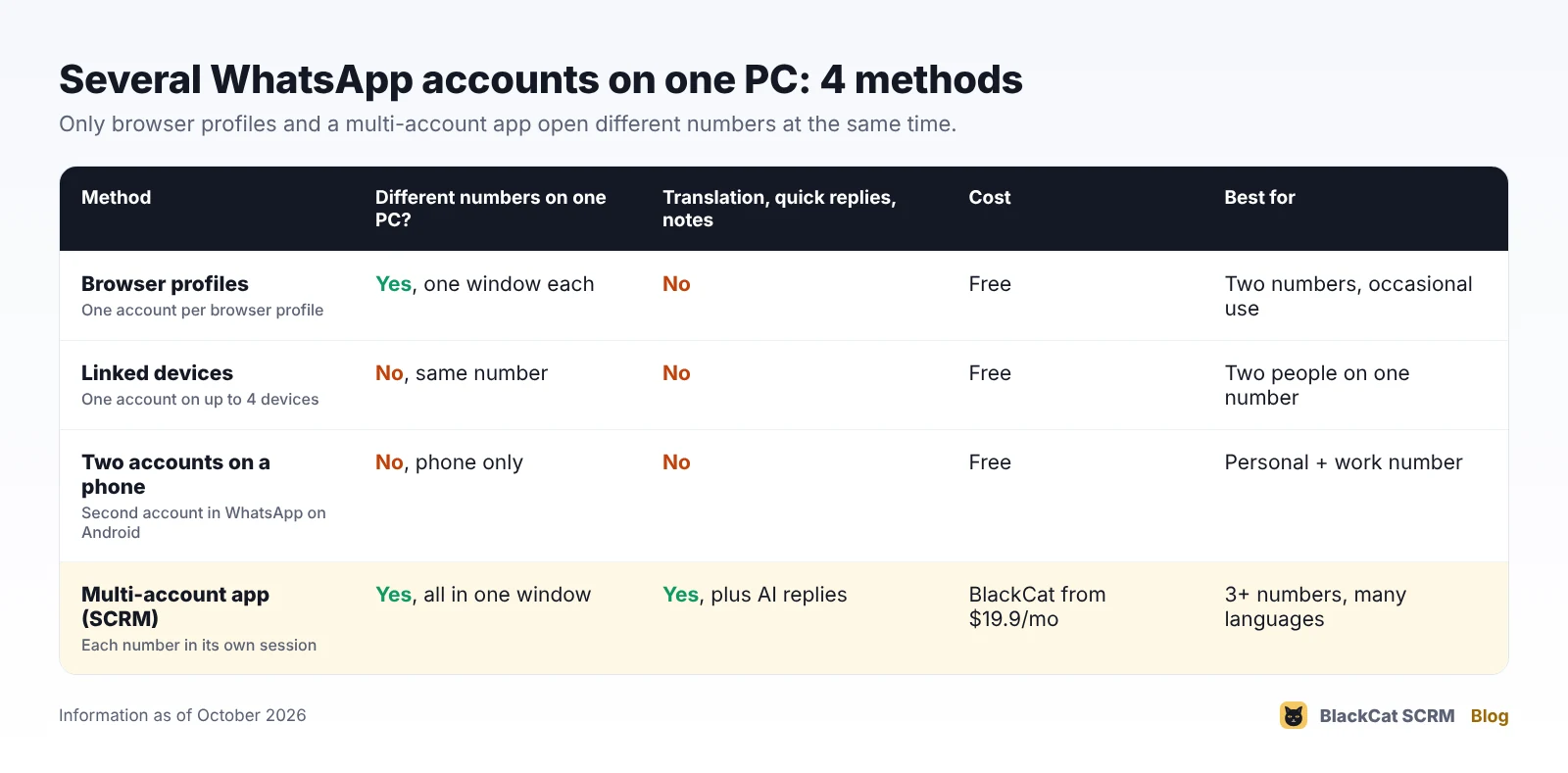
There are four realistic ways to put several numbers on one PC. They are not the same thing, so it helps to know what each one actually does.
1. WhatsApp Web in separate browser profiles
WhatsApp Web (web.whatsapp.com) signs in one account per browser profile. To open a second number, create another profile in Chrome or Edge, or use a different browser, and scan that number's QR code there.
- Good: free, official, nothing to install.
- Watch out: every profile is a separate window with its own notifications, so past two or three numbers it's easy to miss chats. There's no translation, shared quick replies or customer notes, and you need to remember which window is which.
2. Linked devices: one account, several screens
WhatsApp's multi-device feature lets one account run on your phone plus up to four linked devices, such as a laptop and a desktop. It's useful when two people need to answer the same number. It does not add a second account: every linked device shows the same number.
Linked devices keep working when the phone is offline, but if the main phone isn't used for about 14 days, they are signed out. Keep that phone charged and open WhatsApp on it now and then.
3. Two accounts on one phone
WhatsApp on Android can hold a second account in the same app, and the WhatsApp Business app can sit next to the normal app on one phone. That helps on the move, but it doesn't solve the PC problem: on a computer, each number still needs its own WhatsApp Web session.
4. A multi-account desktop app (SCRM)
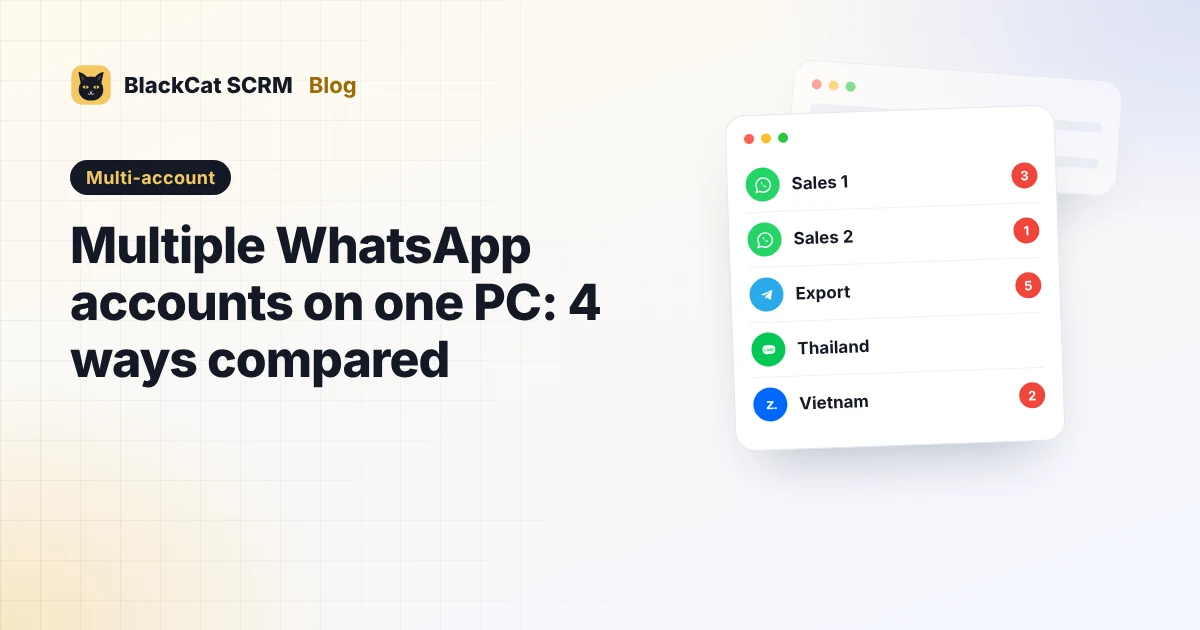
A multi-account app, often called an SCRM, opens every number in its own isolated session inside one window. You sign in to each account the normal way, by scanning its QR code, and the app keeps the sessions apart.
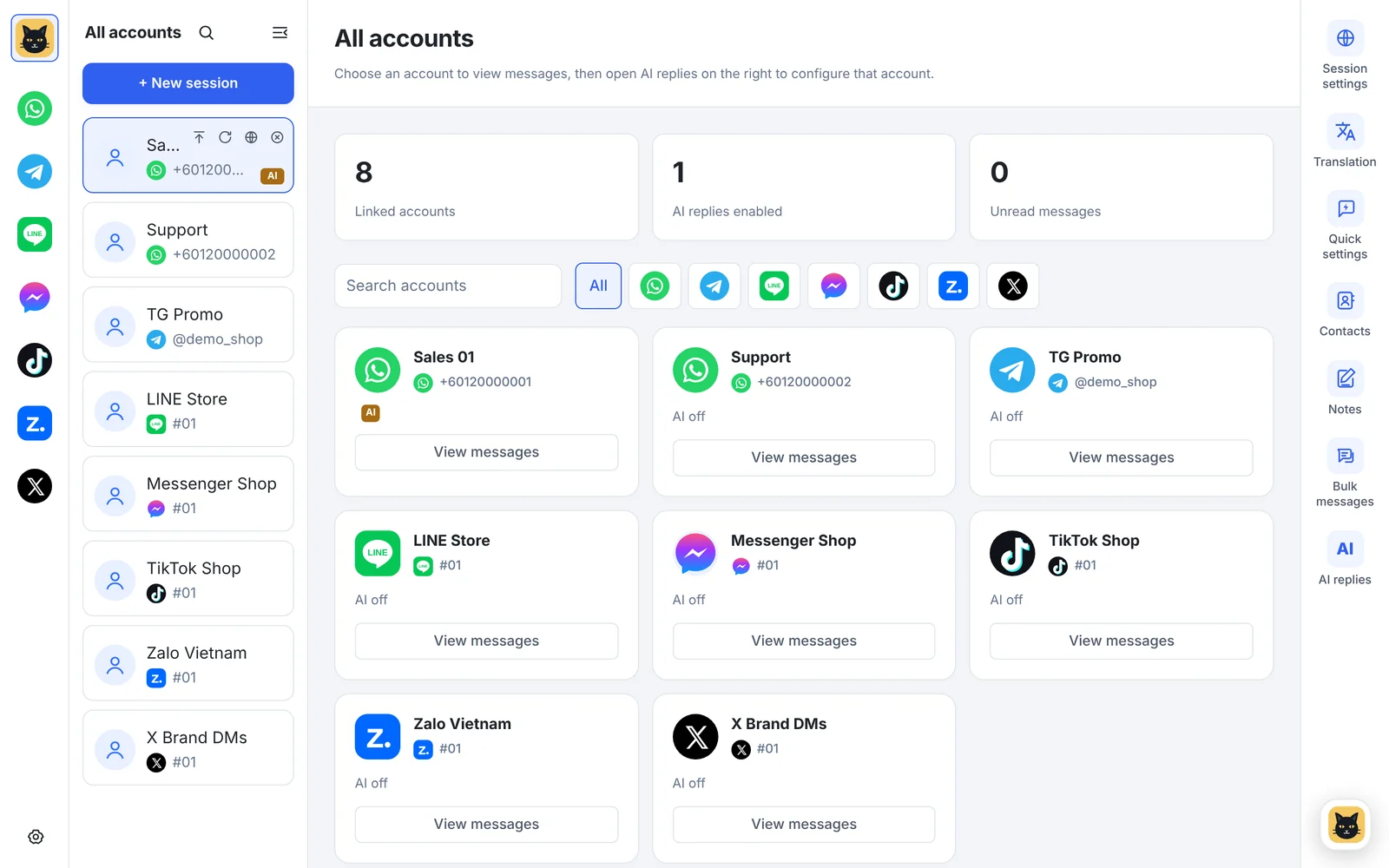
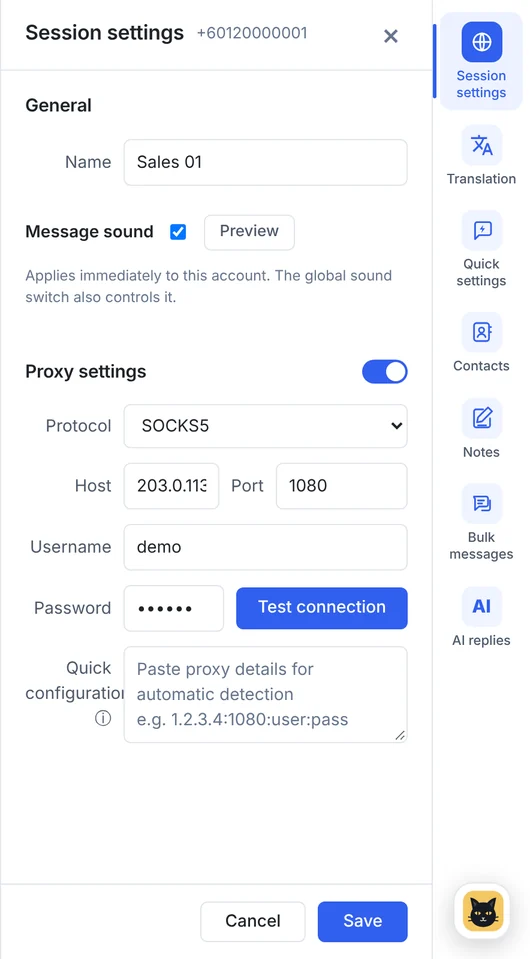
In BlackCat SCRM, for example, every account shows its unread count, each one can have its own name, proxy and message sound, and the same window also handles Telegram, LINE, Messenger, TikTok, Zalo and X. On WhatsApp you also get translation, quick replies, customer notes, AI replies, contacts and bulk messaging.
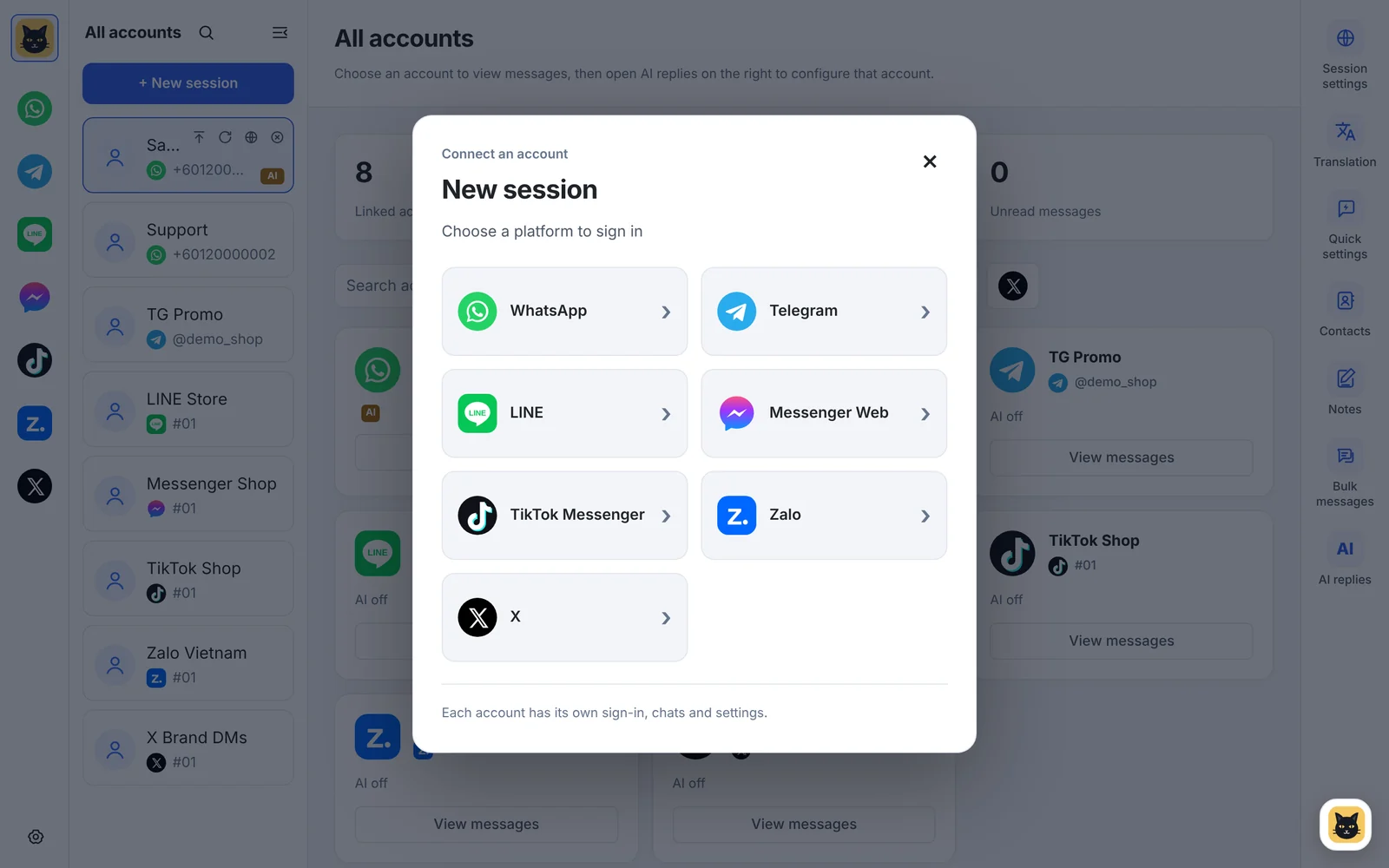
The trade-offs: it's a paid Windows app (BlackCat plans start at $19.9 a month for 5 accounts), and it works through each platform's web version, so it can't do anything WhatsApp Web itself can't, such as making calls.
Which method should you pick?
| Your situation | Best fit |
|---|---|
| Two numbers, occasional use | Two browser profiles |
| Two people answering the same number | Linked devices |
| A personal and a business number on your phone | Two accounts on one phone |
| Three or more numbers, or customers in several languages | Multi-account app |
| WhatsApp plus Telegram, LINE or Zalo | Multi-account app |
Tips whichever way you choose
- Name every account by person or market ("Sales 2 · Thailand") so nobody replies from the wrong number.
- Keep each phone alive. Open WhatsApp on every main phone at least every week or two so linked sessions stay signed in.
- Only use proxies if you need them, for example to give each client's account a stable location. A bad proxy causes more sign-in trouble than it solves.
- Follow WhatsApp's rules. Running several numbers is fine; sending unwanted messages from them is what gets numbers banned. See our bulk messaging checklist.
FAQ
Can WhatsApp Web open two accounts at once?
Not in one browser profile. Each profile (or each different browser) holds one signed-in account, so two numbers need two profiles or a multi-account app.
Is it against WhatsApp's rules to use several accounts?
Having several numbers is normal for businesses. What breaks WhatsApp's terms is behaviour such as spam or bulk unsolicited messaging, whichever tool you use.
Do I need a phone for every WhatsApp account?
Yes. Each account needs its own number and a phone to sign in and to keep it active, but the phone doesn't have to stay on your desk once the account is linked.
How many WhatsApp accounts can BlackCat SCRM run?
5 on the Starter, Pro and Business plans (Pro and Business can add more at $4 each), and unlimited on Enterprise.