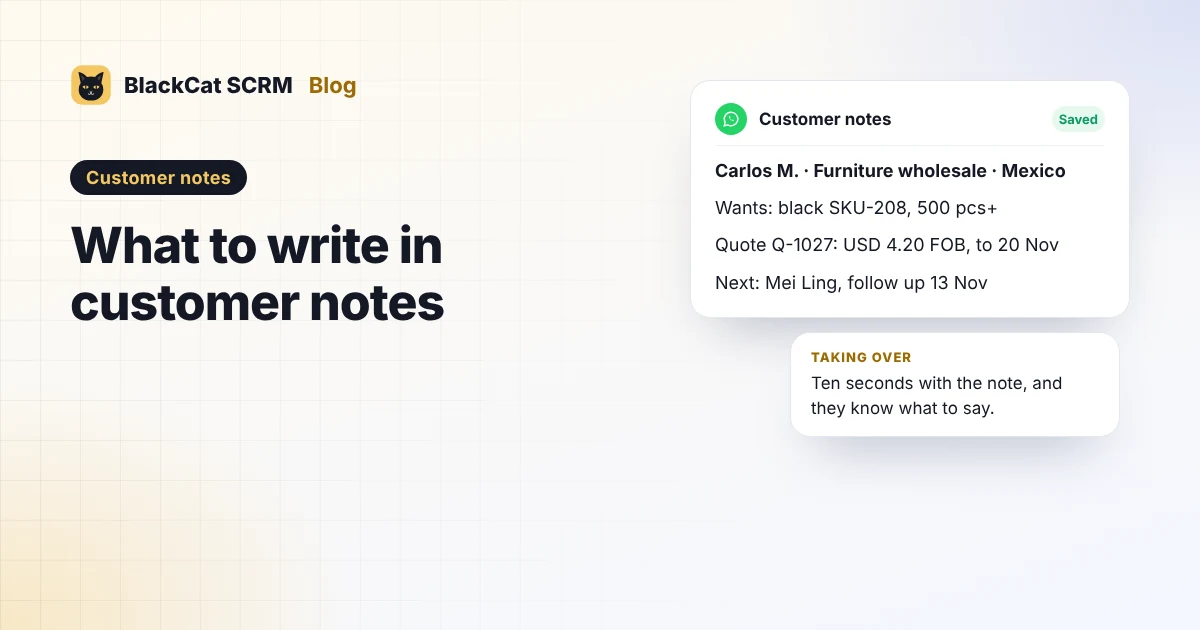
Short answer: write every customer note in the same six parts: who they are (name, company, role, country, language), what they want (product, quantity, destination, timeline), what you've sent (quote number, price, Incoterm, validity, samples), where it stands, the next step (who, what and when, with a real date), and anything to watch out for. Keep the latest update on top, save the quote itself into the notes, and leave out personal details that have nothing to do with the deal. In BlackCat SCRM, notes sit beside every chat and switch with the customer; on WhatsApp, Telegram and Messenger you can save messages and files into them.
Why bother writing notes when the chat is right there?
Because a chat records what was said, not what it means. The price you quoted is somewhere in message 212, the buyer's real deadline was in a voice note, and the promise to send samples was made by someone who's now on leave. Notes turn a long chat into a few lines anyone can act on: a colleague covering a shift, a manager reviewing deals, or you, three weeks later.
What should a customer note include?
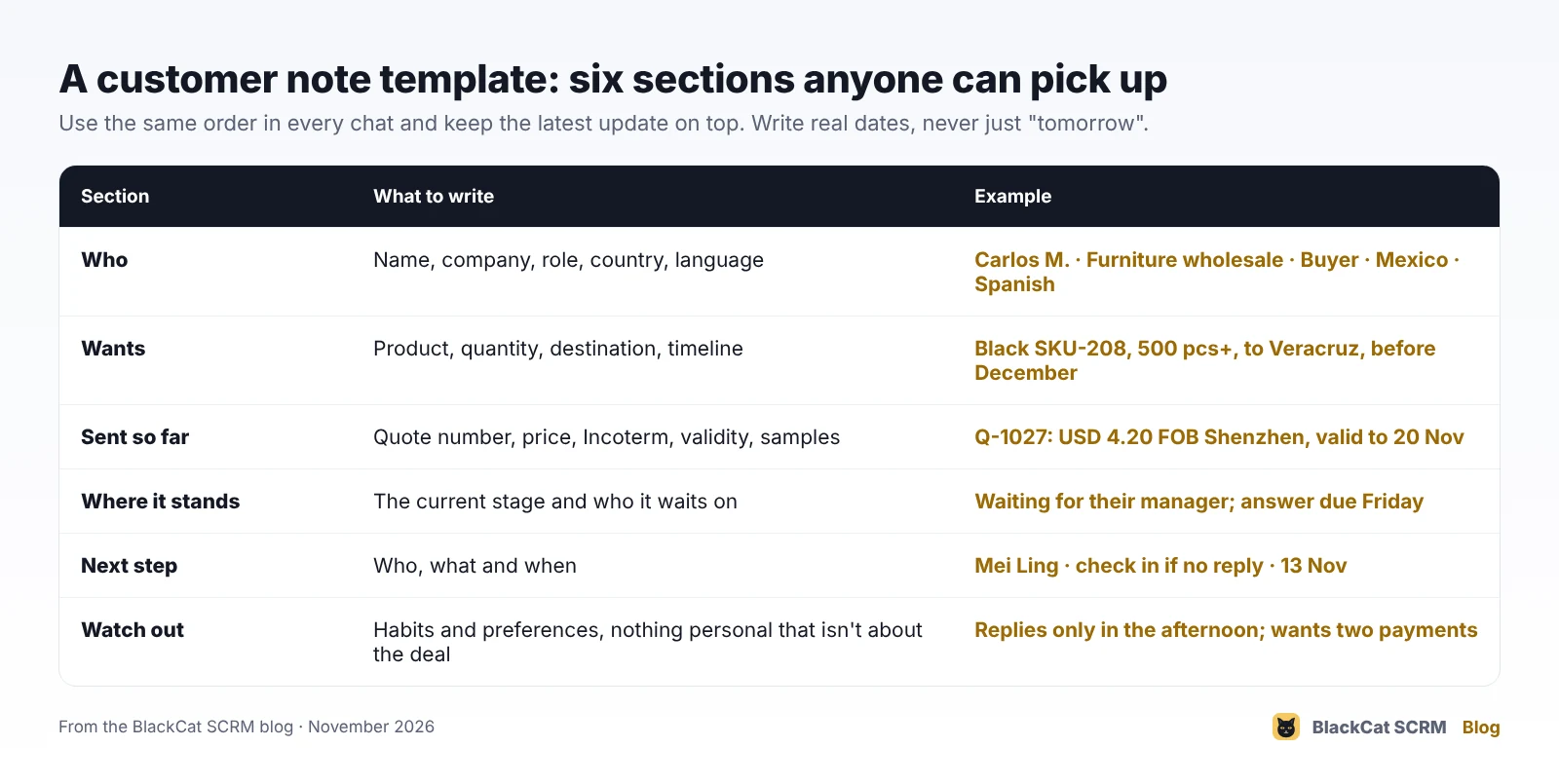
- Who. Name, company, role, country and the language they prefer. "Buyer" and "decision-maker" aren't always the same person; note both if you know.
- Wants. Product or model, quantity, destination and when they need it. These four decide every price you'll give them.
- Sent so far. Quote number, unit price and currency, Incoterm, how long the price holds, and any samples with the tracking number.
- Where it stands. One line: the current stage and who it's waiting on. "Waiting for their manager" is more useful than "follow up".
- Next step. Who does what, and the date. Write "13 Nov", not "Friday" or "tomorrow": a note is read days after it's written.
- Watch out. Habits and preferences that affect the deal: replies only in the afternoon, needs prices in euros, pays in two instalments, sensitive about lead times.
How do we keep notes useful over time?
- Latest on top, with the date. "10 Nov: sent revised quote Q-1031, 3% lower for 1,000 pcs." Nobody should scroll to find today's status.
- Update at every stage change, not at the end of the day. A quote sent, a sample shipped, an order confirmed: each gets one line.
- Save the evidence, not just your summary. Keep the quote file, the buyer's written confirmation and the delivery address as saved items, so nobody relies on memory for numbers.
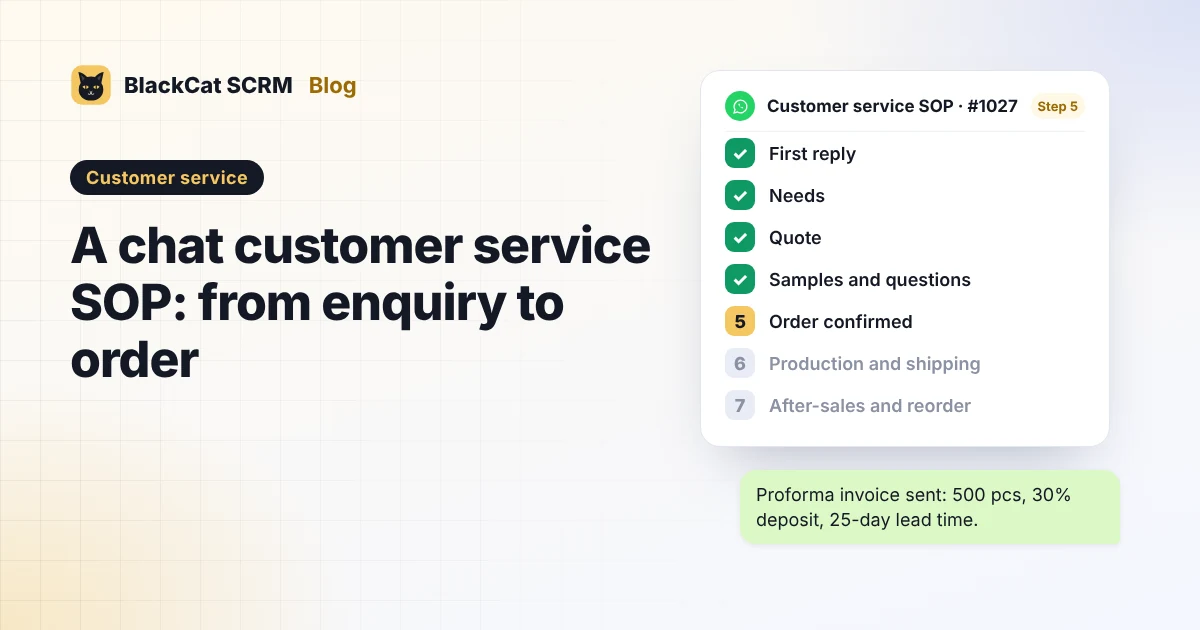
- Use the same words for stages across the team (for example the seven stages in our chat customer service SOP), so notes read the same whoever wrote them.
- Tidy up when a deal closes or dies. Leave a one-line outcome ("Lost: chose a local supplier on price") and remove details you no longer need.
What should stay out of customer notes?
Notes are business records about real people, so treat them that way. Malaysia's Personal Data Protection Act sets principles that include keeping personal data accurate and up to date, protecting it against loss and misuse, and not keeping it longer than its purpose needs. In practice:
- Write what matters to the deal, not opinions about the person. "Prefers calls after 3pm" is useful; comments about someone's personality aren't.
- Leave out sensitive details such as health, religion or family matters, even if the buyer mentions them in chat.
- Never store passwords, full card numbers or bank logins in notes.
- Correct notes that turn out to be wrong, and remove what you no longer need.
How do notes work in BlackCat SCRM?
In BlackCat SCRM, every chat has its own customer notes on the right-hand side, and the right note appears when you switch customers.
- Typed notes for the six-part template above.
- Save to notes on WhatsApp, Telegram and Messenger: right-click a message, photo, video, voice note or file and save it. It appears under saved messages with who sent it and when, newest first, and you can add your own note to each item. Saving is local and the customer isn't told.
- Notes are never sent to customers.
- Notes move with you: typed notes sync across computers on Business and Enterprise, and on Starter and Pro the local workspace backup includes notes, so you can restore them on another computer.
- BlackCat Assistant (Pro and above) can read a customer's notes or add a line to them by name, for example "add to Carlos's notes: sent Q-1031".
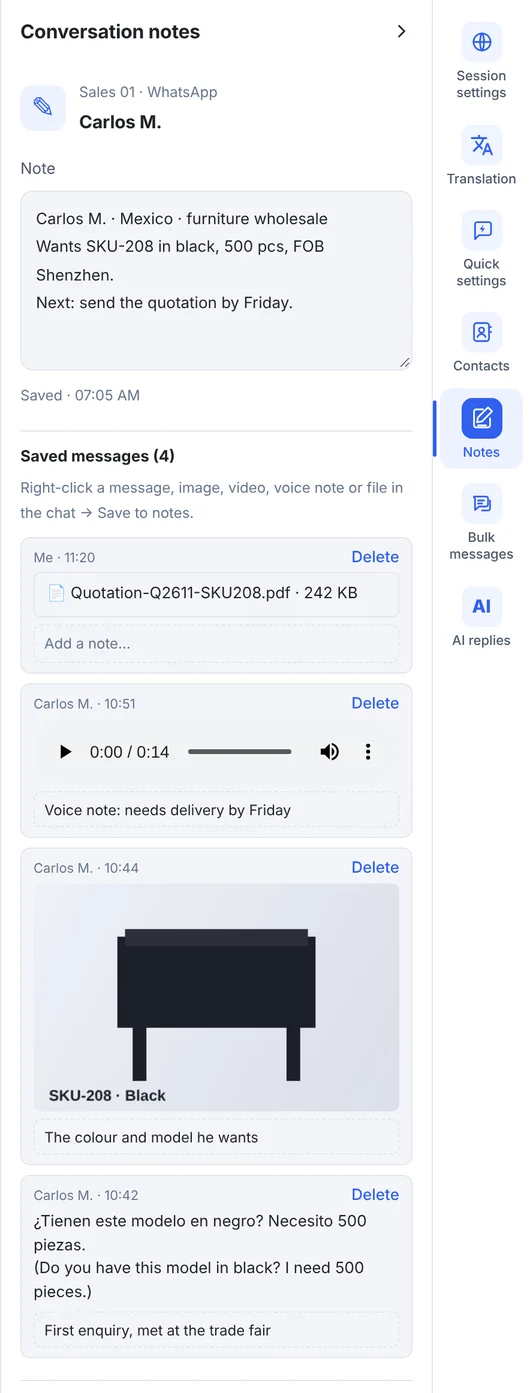
Honest limits: notes are free text, so the template only works if the team agrees to use it. On Business and Enterprise, typed notes sync but saved chat clips and attachments stay on the computer where they were saved. Notes and Save to notes don't work on TikTok, Zalo or X, and LINE has typed notes but not Save to notes.
Sources
- Herbert Smith Freehills: Malaysia's new Personal Data Protection Act (the seven principles, including security, retention and data integrity).
- Mondaq: The Personal Data Protection Act 2010 and obligations for companies operating in Malaysia.
- BlackCat SCRM user guide: customer notes, Save to notes, workspace backup and cloud sync.
FAQ
How long should a customer note be?
Short enough to read in ten seconds: a line or two per section, with the latest update on top. Put long documents in saved items, not in the typed note.
Do customers see my notes?
No. In BlackCat SCRM, notes stay inside the app and are never sent to the customer, and saving a message into notes doesn't notify them.
What happens to notes when a salesperson leaves?
If the account and computer belong to the company, the notes stay with them. On Business and Enterprise, typed notes are in cloud sync; on Starter and Pro, keep a workspace backup. See when a salesperson leaves.
Can I search or report on notes across all customers?
BlackCat Assistant can look up a customer's notes by name, but there are no note reports or pipeline views. If you need a sales pipeline, keep it in a CRM or spreadsheet and use notes for the chat-side detail.