1,000 rounds
Up to 1,000 questions and 1,000 answers, paired line by line.
Choose prepared questions and answers for two of your WhatsApp accounts. Name the tab, choose a duration and follow the run live. Every answer comes from your script, not an AI-generated reply.
Version 1.19.6 or later · WhatsApp only · Real interface with demo accounts below
Up to 1,000 questions and 1,000 answers, paired line by line.
Choose by scene, time and 90 / 180 lines, or upload your own .txt files.
Run separate account pairs, each with its own progress, clock and log.
Included in Pro, Business and Enterprise. Not available on Starter. Scripted conversations do not use AI points.
An account cannot be reserved by another running or paused tab. Clear scripts only clears this tab’s inputs.
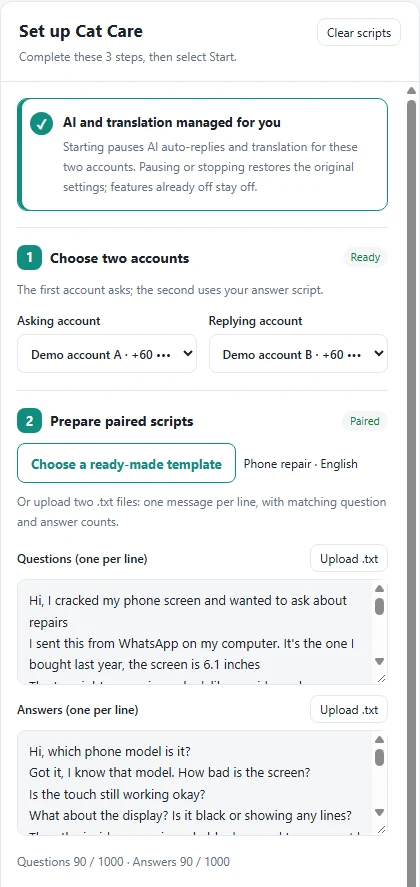
Select a target duration and Cat Care calculates the waits automatically. Or set a minimum, maximum and target average yourself; each message waits a random amount within that range.
These are waiting budgets. Sending and reading may add about 1-3 seconds per message. Pauses and retry countdowns are excluded from active elapsed time.
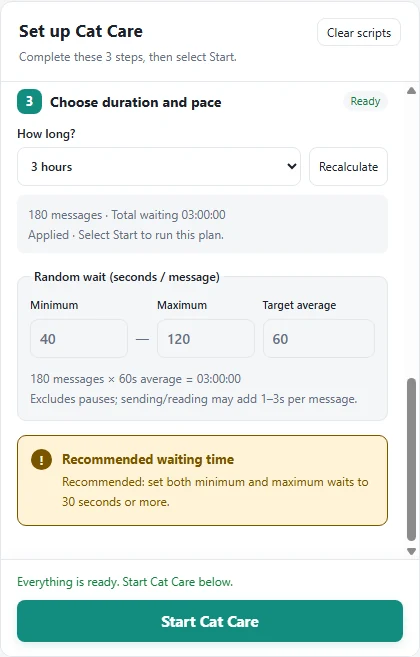
Account cards show online / Cat Care status, and tab labels show elapsed time. Live Q&A, round-trip time, message totals and the current state stay with this tab.
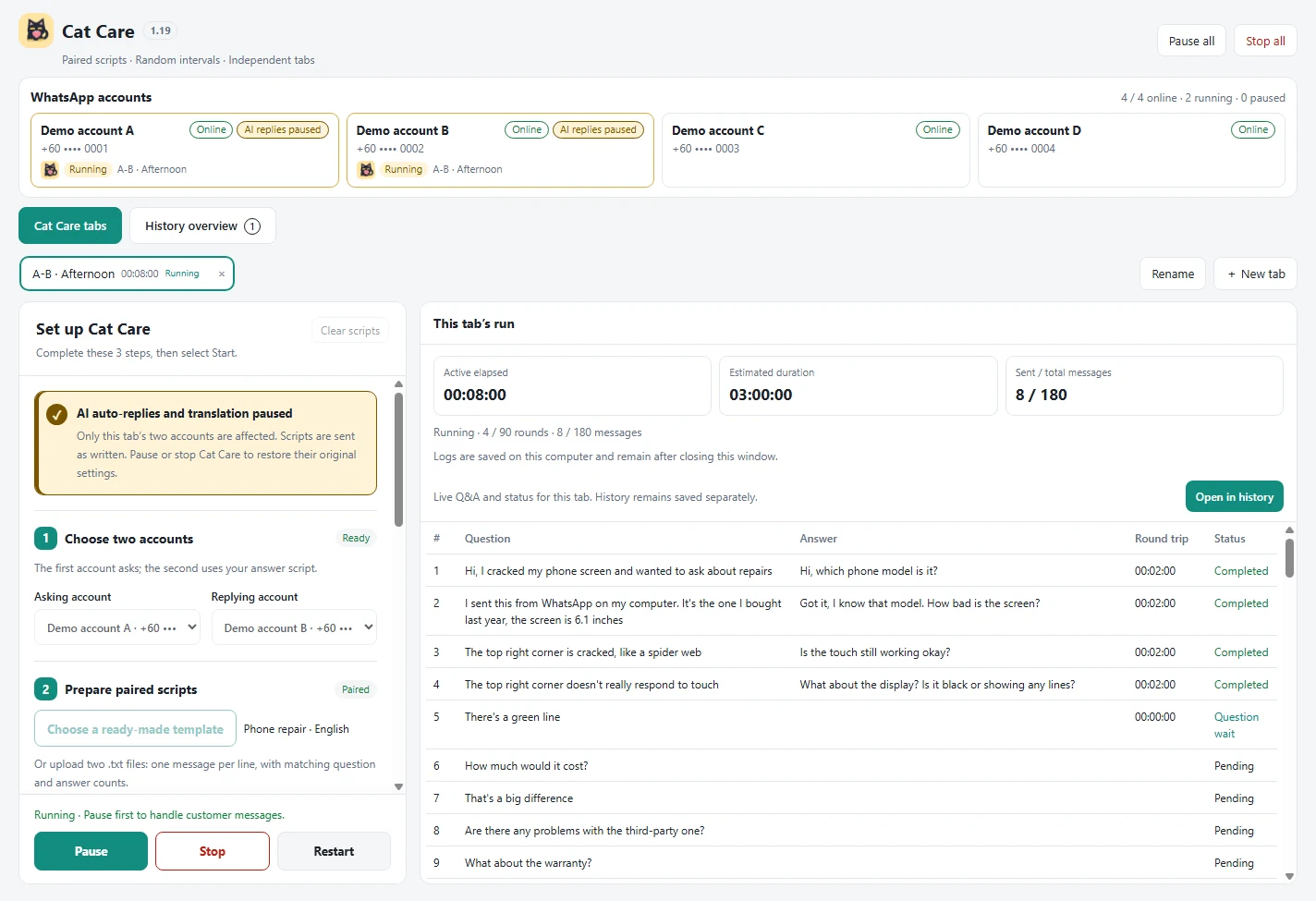
Pause freezes the clock. Resume continues from the current progress. Pause all controls every active tab.
Stop lets you keep or clear the log. Restart asks first, begins at line 1 and creates a separate history record.
Runs and retry waits pause the pair’s AI replies and translation. Pause / stop restores the original settings; features already off stay off.
While paused, ordinary customers regain the original AI settings. The reserved script conversation stays protected so an AI answer cannot interrupt the paired script.
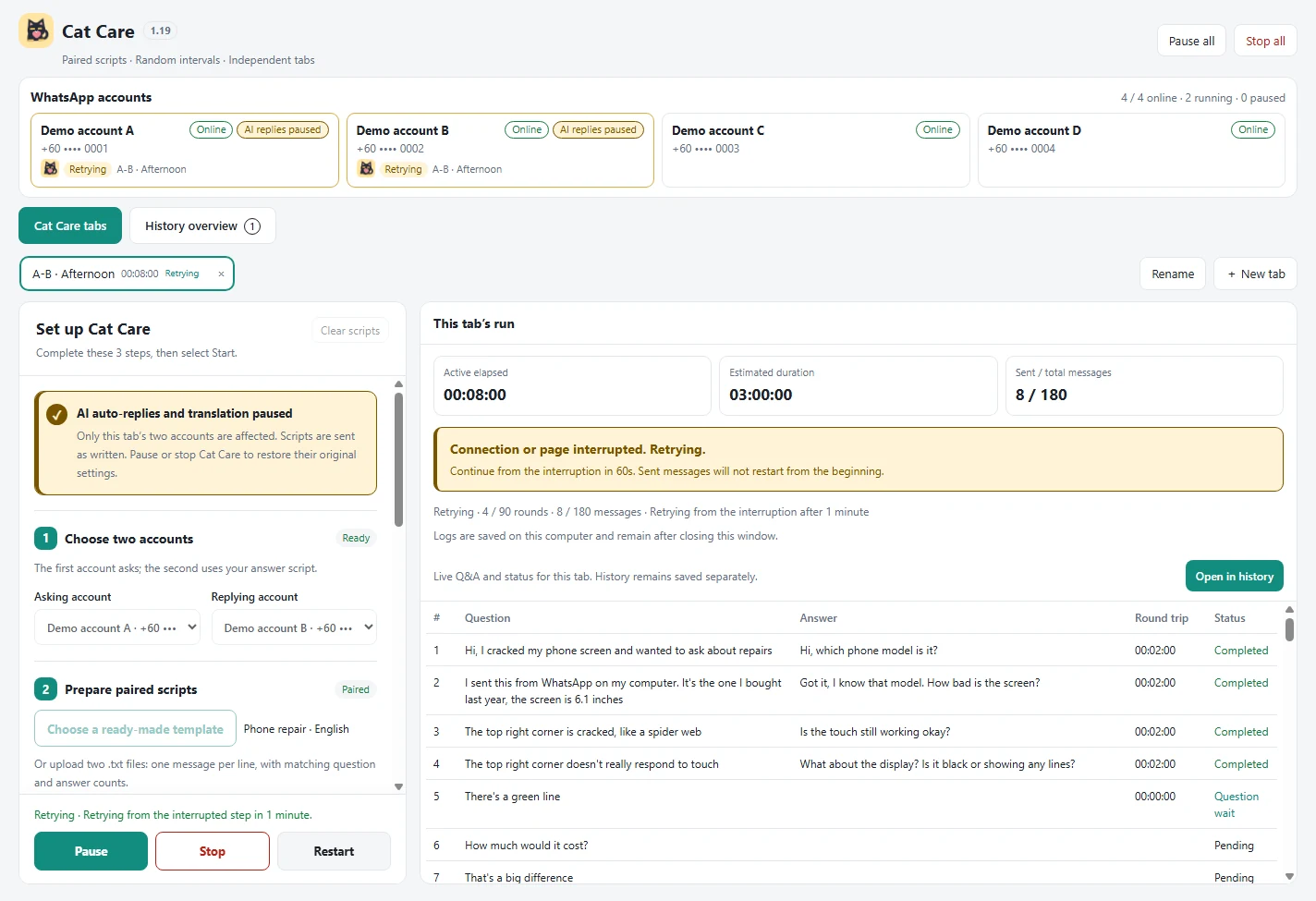
While the app stays open, a connection or page interruption shows a clear Retrying notice. After 1 minute it checks the interrupted step and continues.
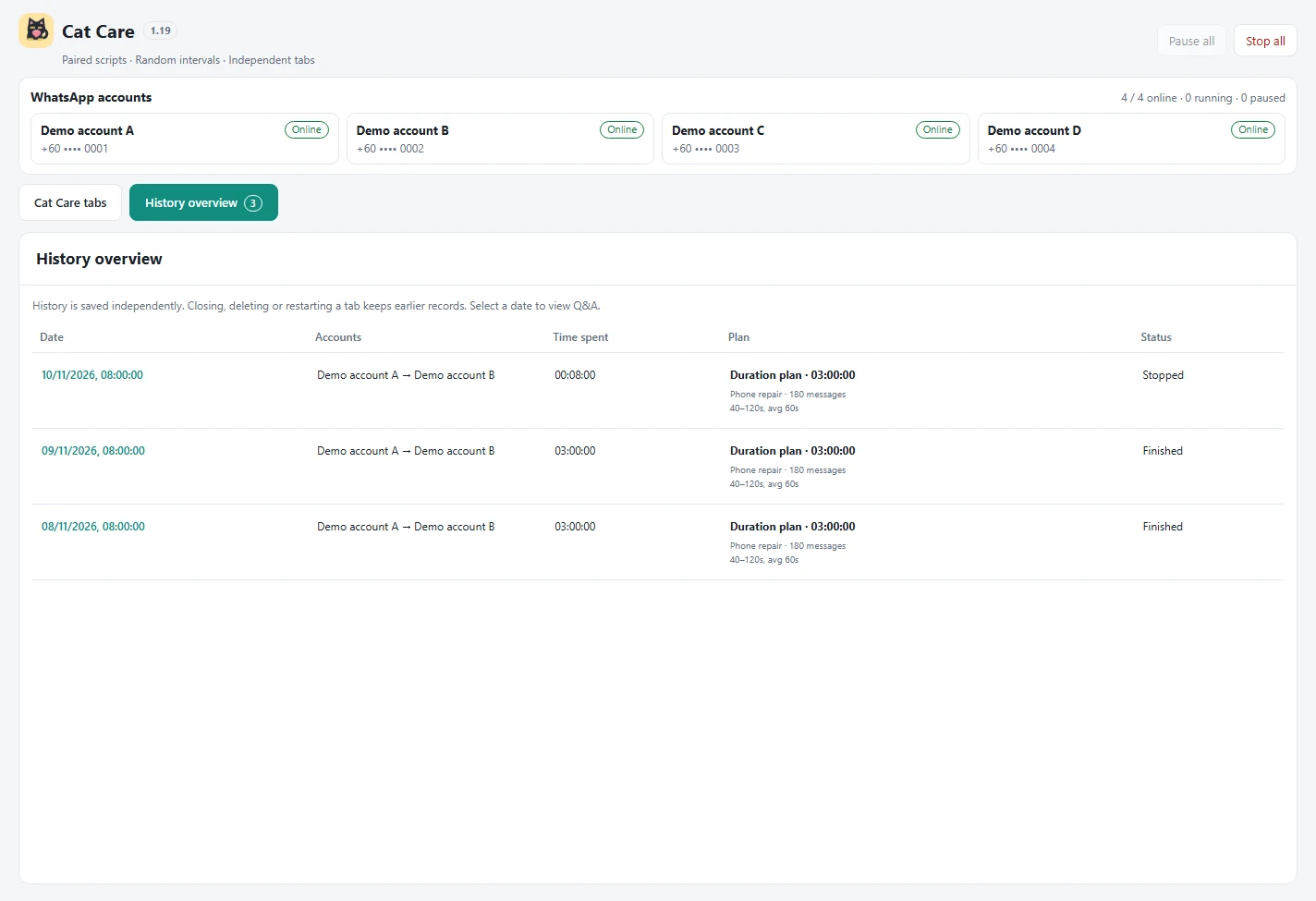
Date, accounts, time spent, plan and status give you the overview. Select a record to open that run’s questions and answers.
Cat Care history is local and is not part of cloud workspace sync. Closing Cat Care stops sending; reopening never automatically resends.
No. Both sides use the prepared scripts you choose or upload. AI replies for other customers follow the usual feature and plan rules.
Tabs can run different pairs simultaneously. Each needs two WhatsApp accounts, and running or paused accounts cannot overlap. For example, 10 online accounts can form 5 pairs.
No. AI replies and translation return to their original settings: originally on restores on; originally off stays off. The reserved script conversation remains protected during pause.
No. History overview saves runs independently. Only explicitly clearing or confirming deletion removes the selected Cat Care record.