Short answer: Zalo is the chat app most Vietnamese buyers already use (VNG reported 79.6 million monthly users in 2025), so give each salesperson their own Zalo number. Chat from personal accounts for one-to-one selling, and look at a Zalo Official Account if you need a brand page, verified status or automated notifications. To work several Zalo numbers from one Windows PC, BlackCat SCRM opens each account in its own session with unread counts, pop-ups and its own sound. Translation, quick replies, notes and AI replies don't work on Zalo in BlackCat yet, so plan for replies in Vietnamese.
Why do Vietnamese buyers ask for Zalo?
Because it is where they already are. Zalo is made by the Vietnamese company VNG, and its 2025 annual report puts it at 79.6 million monthly active users and about 2.1 billion messages a day, in a country of roughly 100 million people. Many buyers will happily use WhatsApp or Facebook Messenger with a foreign supplier, but for a Vietnamese reseller, shop owner or purchasing manager, Zalo is often the app they check first. Asking for your Zalo is a sign they want to keep talking.
For a sales team, that usually means one Zalo number per person or per market, on top of the WhatsApp, LINE or Telegram accounts you already run.
Should we use a personal account or a Zalo Official Account?
They do different jobs, and many companies end up with both.
- Personal Zalo accounts are how most one-to-one selling happens: a salesperson's own number, friends lists, voice and video calls, groups with a distributor. They are tied to a phone number and a phone.
- A Zalo Official Account (OA) is a brand page that customers follow. It can be verified, and through Zalo's platform and its partners it can send template notifications (Zalo Notification Service), such as order confirmations. Automated messaging and integrations go through an OA; providers note that personal accounts can't be connected to Zalo's business APIs.
- Watch the limits on reaching strangers. When Zalo introduced paid tiers in 2022, Vietnamese media reported that free personal accounts could reply to only 40 stranger conversations a month and be found by strangers 40 times a month, with paid Zalo Business packages raising those limits. The exact numbers may have changed since, so check Zalo's current terms before a big campaign.
A practical split: the OA for announcements and notifications to people who follow you, personal accounts for the conversations that close orders.
How do we run several Zalo accounts on one computer?
Zalo signs in on a computer by scanning a QR code with the Zalo app on the phone that owns the number. In an ordinary browser you stay signed in to one Zalo account per browser profile, so teams with several numbers end up juggling profiles, logging in and out, or keeping a phone on every desk.
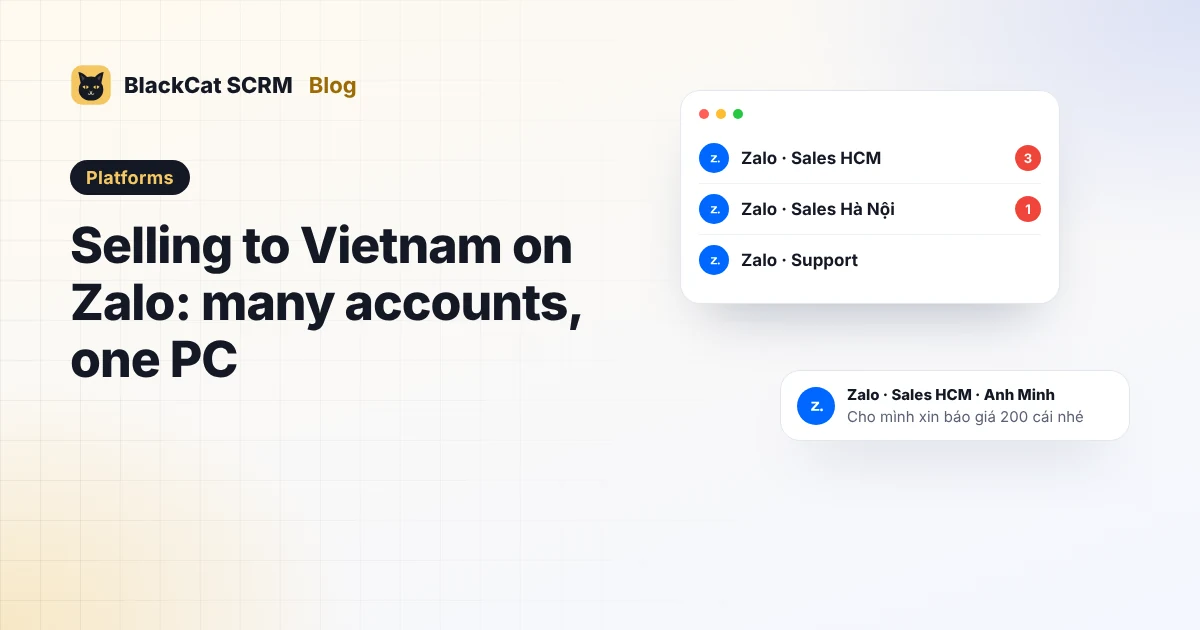
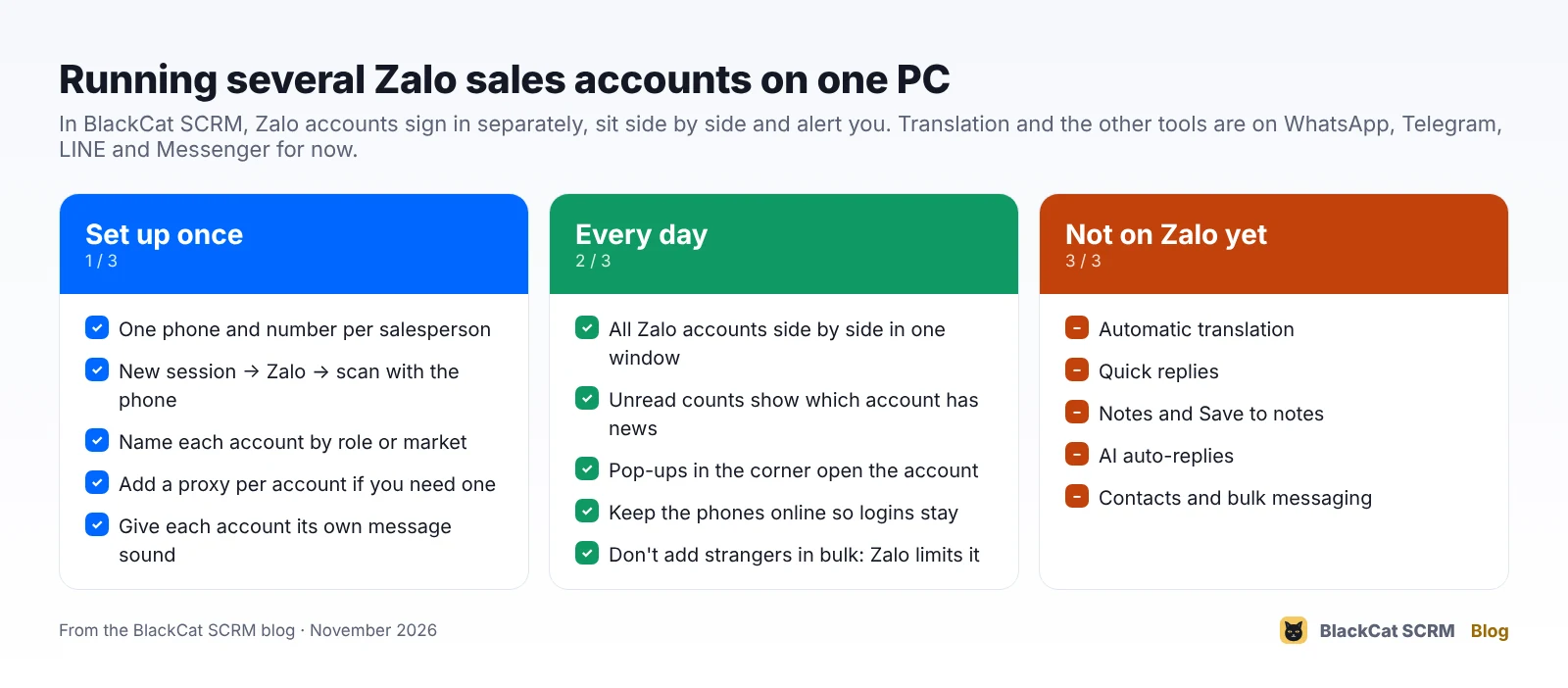
In BlackCat SCRM, every account is its own session in one window:
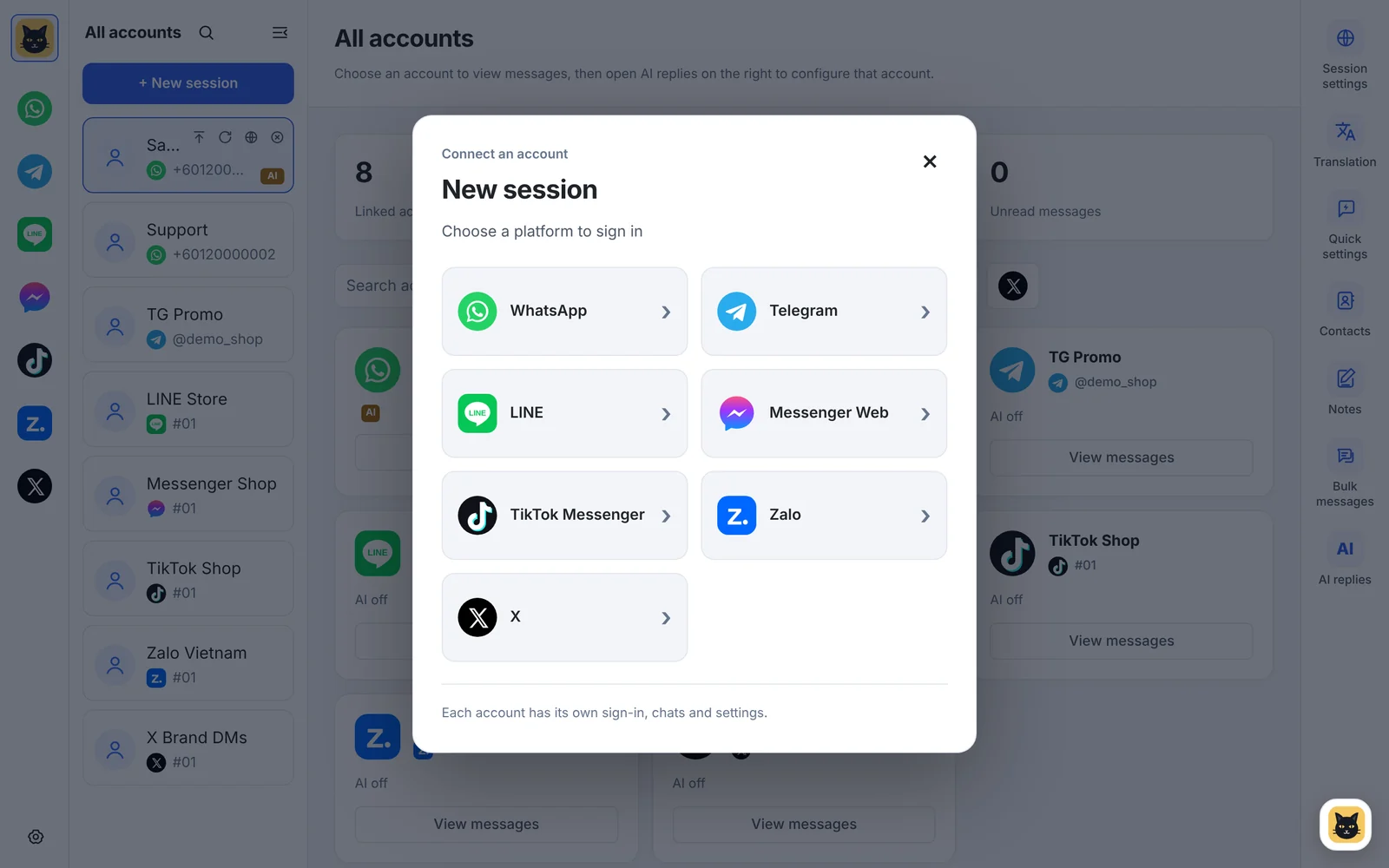
- Add the account: click New session, choose Zalo and scan the QR code with that salesperson's phone. Repeat for each number.
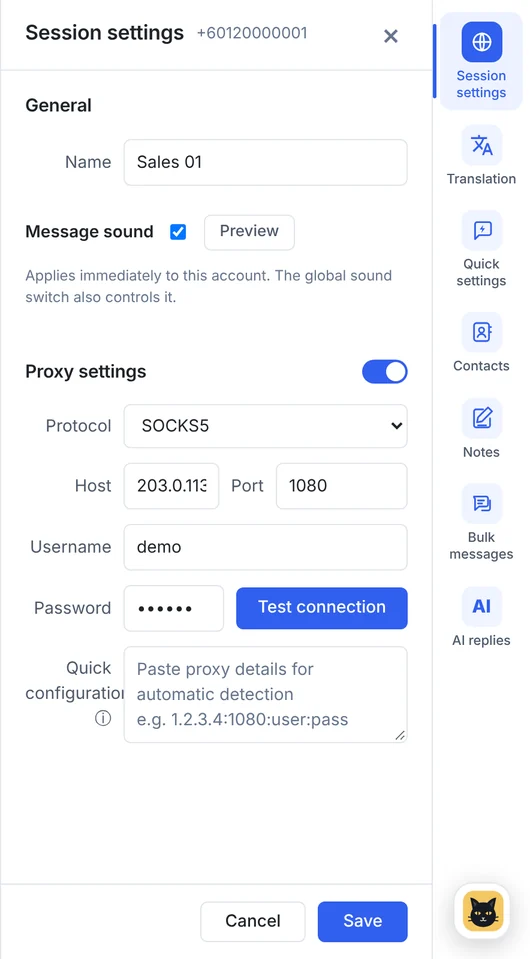
- Name it by role or market, such as "Zalo · Sales HCM" or "Zalo · Support", so the account outlives the person using it.
- Set the environment per account: a proxy (HTTP or SOCKS5) if you need one, and a message sound from the 9 available, so you can tell which number is ringing without looking.
- Work the alerts: each account shows its unread count, and new Zalo messages pop up in the bottom-right corner (up to 3 stacked, newest on top). Click one to open that account.
- Keep the phones on and online. The phone is still the owner of the account; if it is lost, reset or offline for long, Zalo may ask you to sign in again.
What doesn't work on Zalo in BlackCat yet?
Being clear about this saves surprises. On Zalo, BlackCat gives you separate sessions, unread counts, pop-ups and sounds. These tools work on WhatsApp, Telegram, LINE and Messenger, but not on Zalo yet:
- automatic translation of incoming and outgoing messages;
- quick replies, customer notes and Save to notes;
- AI auto-replies;
- contacts and bulk messaging (these are WhatsApp and Telegram only).
So for Zalo, plan the language side yourself: a Vietnamese-speaking colleague on the Zalo accounts, standard answers (prices, MOQ, payment, delivery) kept in a shared document in Vietnamese, and if a buyer is just as happy on WhatsApp or Telegram, those accounts get translation and the AI tools in the same window. See what works on each platform for the full list.
What helps when selling to Vietnam on Zalo?
- Reply in Vietnamese where you can. Even a short greeting in Vietnamese ("Chào anh / chị") reads as respect; keep prices and quantities in figures so nothing is lost in translation.
- Answer quickly. Buyers often message several suppliers at once. Pop-ups and per-account sounds are there so a quote request doesn't sit unread.
- Don't bulk-add strangers. Mass friend requests and copy-paste messages to people who haven't contacted you are what Zalo's limits are designed to stop.
- Keep the numbers company-owned. A Zalo account belongs to its phone number, so the same handover rules apply as for WhatsApp: see when a salesperson leaves.
Sources
- VNG: Annual report 2025 (Zalo 79.6 million monthly active users, 2.11 billion daily messages); also reported by TechNode Global.
- Thời báo Tài chính Việt Nam: Zalo charges users from August 1, 2022 (limits on stranger conversations for free accounts).
- Infobip: Zalo get started (Official Account verification for business messaging); SaleSmartly: Zalo for Business guide (personal accounts and business APIs).
- BlackCat SCRM user guide and supported platforms.
FAQ
Can BlackCat SCRM translate Zalo messages?
Not yet. Zalo accounts in BlackCat have separate sessions, unread counts, pop-ups and message sounds. Translation, quick replies, notes and AI replies work on WhatsApp, Telegram, LINE and Messenger.
How do I sign in to Zalo in BlackCat?
Click New session, choose Zalo and scan the QR code with the Zalo app on the phone that owns the number. Each Zalo account signs in separately.
How many Zalo accounts can I add?
As many as your plan's chat accounts allow: Starter, Pro and Business include 5 accounts (Pro and Business can add more at $4 each) and Enterprise has no account limit. Each Zalo number counts as one account.
Can I connect a Zalo Official Account?
BlackCat opens Zalo accounts through Zalo's web version, the same way you would sign in on a computer. Automated OA features such as template notifications go through Zalo's own platform and its partners.