Short answer: LINE has about 56 million monthly users in Thailand, so Thai buyers will look for you there. Use a LINE Official Account (OA) as your brand's page for followers, broadcasts and promotions; in Thailand it starts with a free plan of 300 broadcast messages a month, with paid plans from THB 1,280. Use personal LINE accounts, one per salesperson, for the one-to-one chats that close orders. BlackCat SCRM runs several personal LINE accounts in one Windows window, with Thai translation, quick replies, notes and AI replies. OA chats are answered in LINE's own OA Manager.
How important is LINE in Thailand?
Very. DataReportal's figures put LINE at about 56 million monthly active users in Thailand in late 2025, well over three-quarters of the country's internet users. Thai shops, distributors and purchasing teams use it for everything from supplier chats to order confirmations, and many expect a foreign supplier to have LINE too. If you sell to Thailand from Malaysia, China or anywhere else, a LINE presence is close to essential.
What is the difference between a personal account and a LINE Official Account?
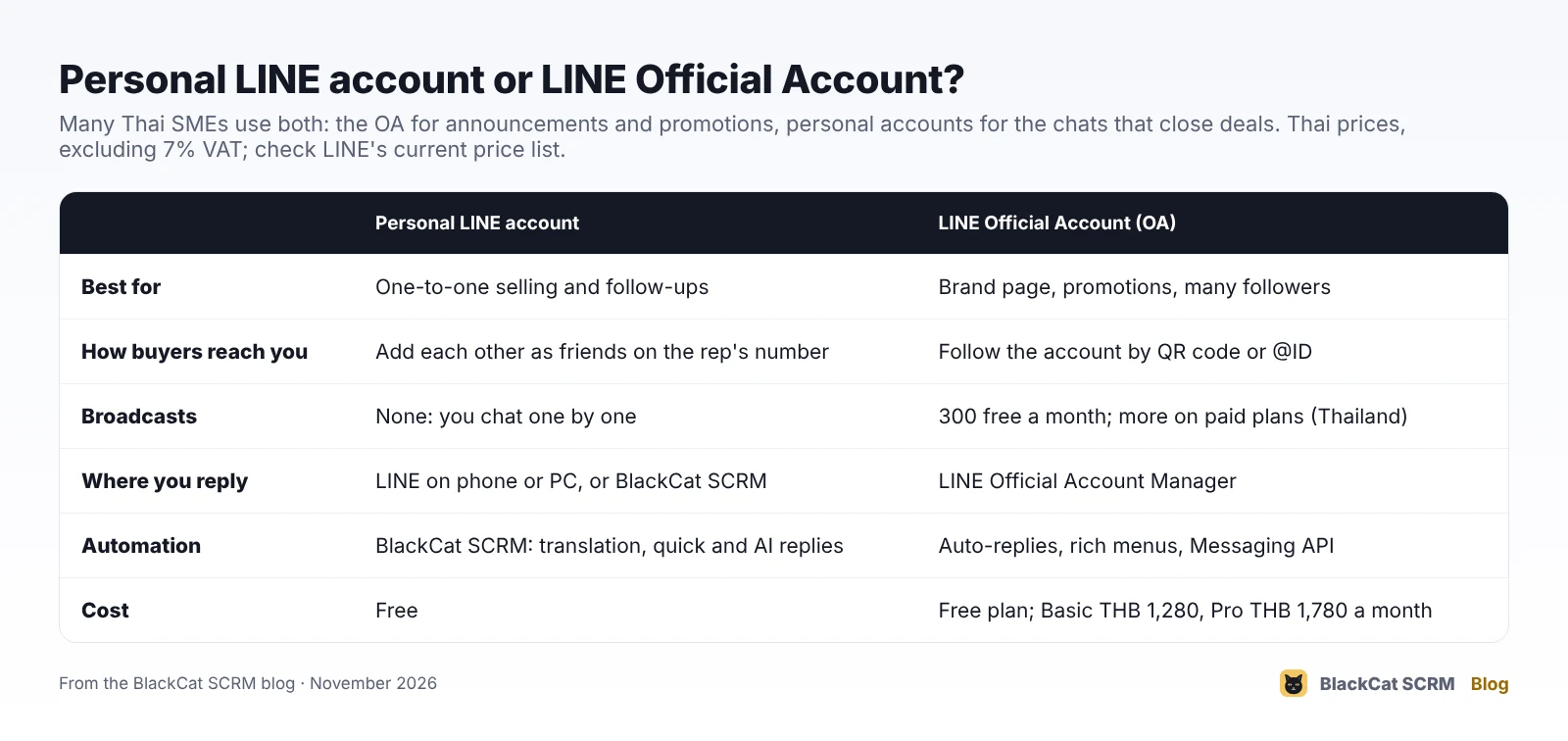
- A personal LINE account belongs to a phone number. Buyers add your salesperson as a friend and chat one to one. It is free, feels personal, and is how a lot of B2B selling actually happens, but it has no broadcasts or business tools of its own.
- A LINE Official Account is a brand account. Customers follow it with a QR code or an @ID, and you can send broadcasts, set auto-replies, add a rich menu and connect systems through the Messaging API. Chats with followers are answered in LINE Official Account Manager, on the web or in its app, not in the personal LINE app.
How much does a LINE Official Account cost in Thailand?
LINE Thailand's notice of June 2024 set the OA plans as follows:
- Free: 300 broadcast messages a month (cut from 500).
- Basic: THB 1,280 a month for 15,000 messages.
- Pro: THB 1,780 a month for 35,000 messages, with extra messages charged per message.
Prices exclude 7% VAT and are for Thailand only; other countries have different plans. Prices have changed several times, so check LINE's current price list before you budget. Replying to customers who message you doesn't use broadcast messages; broadcasts and pushed messages do.
Which one should a sales team use?
A common setup for SMEs selling to Thailand:
- One Official Account for the brand: new arrivals, promotions, holiday hours, and a place for new customers to find you.
- A personal LINE account per salesperson or market, on company-owned numbers, for quotes, samples, negotiation and after-sales.
If you only sell to a handful of distributors, personal accounts may be all you need. If you have thousands of retail customers, the OA and its broadcasts start to pay for themselves.
How do we run several LINE accounts and reply in Thai?
LINE signs in on a computer with a QR code scanned from the phone, or with an email address and password registered in the LINE app. Login from a computer must be allowed on the phone (LINE: Home, Settings, Account, Allow login).
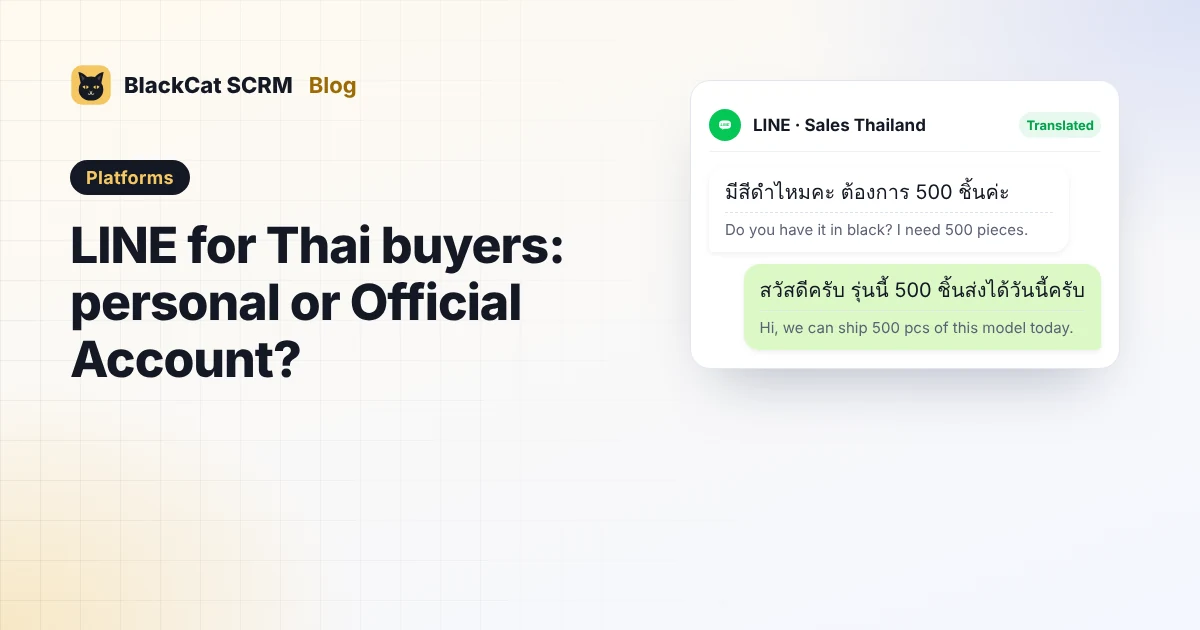
In BlackCat SCRM, each personal LINE account opens in its own session in one window, through the official LINE extension, which downloads by itself the first time you add a LINE account. On LINE you get:
- Translation both ways in 65 languages, including Thai: read buyers' messages in your language and type replies in yours. Turn on the translation shortcut (Ctrl+T by default) to check the Thai before it goes.
- Quick replies for prices, MOQ, payment and delivery, shared across accounts.
- Customer notes next to each chat.
- AI replies from your own knowledge base (Pro plan and above) that hand over to a person when unsure.
- Unread counts and pop-ups for every LINE account, with its own message sound.
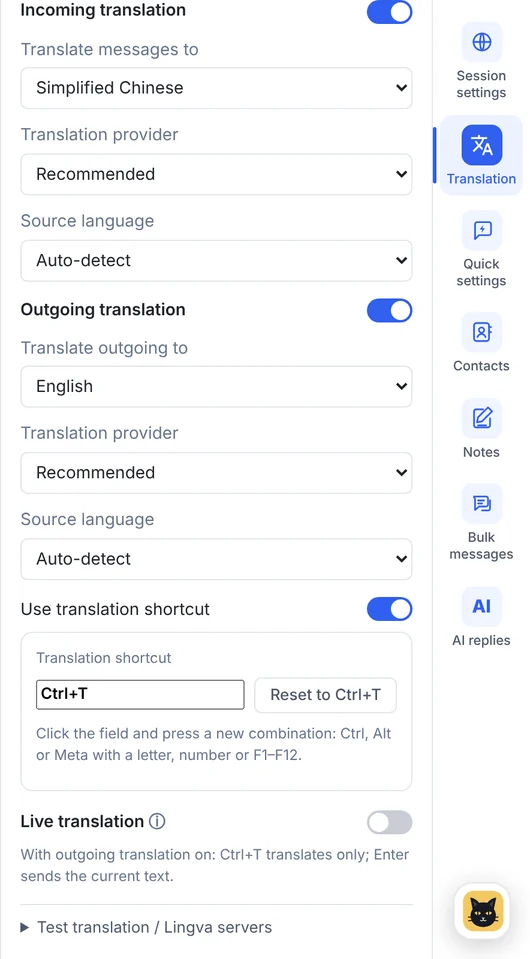
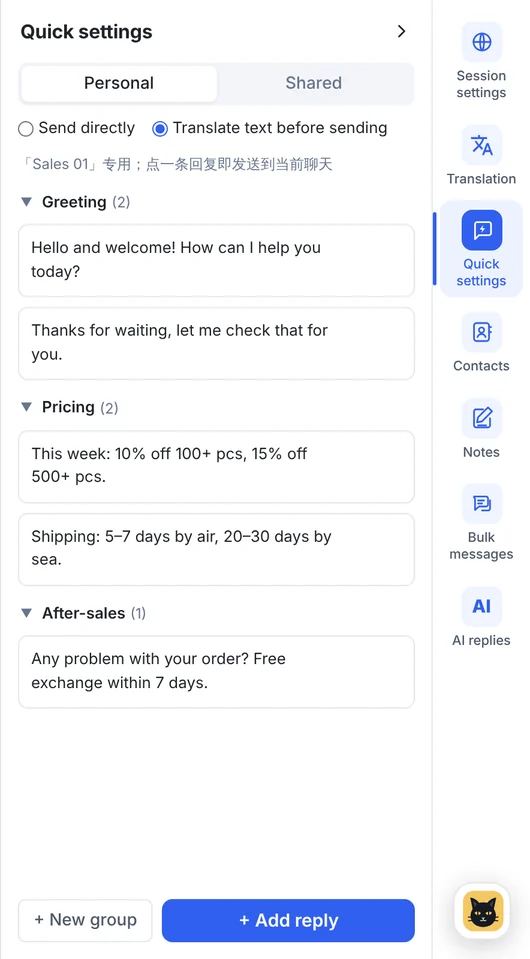
Honest limits: Save to notes (saving a chat message or file into notes) works on WhatsApp, Telegram and Messenger, not LINE; contacts and bulk messaging are WhatsApp and Telegram only; and BlackCat doesn't open LINE Official Accounts, which you answer in OA Manager. See what works on each platform.
What should we know about writing to Thai buyers?
- Check the polite ending. Thai adds a polite particle at the end of a sentence that depends on who is speaking: khrap (ครับ) for a man, kha (ค่ะ / คะ) for a woman. Machine translation picks one, so review it with the shortcut and keep it consistent with the person behind the account.
- Keep numbers as figures. Prices, quantities and dates in numerals survive translation; spelled-out amounts can get garbled.
- Expect stickers. Stickers are part of everyday LINE conversation in Thailand; a friendly sticker after a confirmed order is normal, not unprofessional.
- Don't broadcast from personal accounts. Promotions belong on the Official Account to people who chose to follow you.
Sources
- Relevant Audience: LINE Thailand puts 56 million users behind its 2026 business stack (citing DataReportal).
- LINE for Business Thailand: LINE Official Account plan changes, 19 June 2024.
- LINE Help Center: LINE for PC: logging in (QR code, email and password, Allow login).
- LINE Developers: Messaging API pricing (plans vary by country or region).
- BlackCat SCRM user guide and supported platforms.
FAQ
Can BlackCat SCRM translate LINE chats into Thai?
Yes. Translation works on LINE in both directions, in 65 languages including Thai, per account or per customer. The optional shortcut (Ctrl+T) lets you check the Thai before you send.
Can I manage a LINE Official Account in BlackCat?
No. BlackCat opens personal LINE accounts through the official LINE extension. LINE Official Account chats are answered in LINE Official Account Manager.
How do I sign in to LINE in BlackCat?
Click New session and choose LINE. The official LINE extension downloads the first time; then sign in with a QR code or your LINE email and password. Login from a computer must be allowed in the LINE app on your phone.
Do AI replies work on LINE?
Yes, on the Pro plan and above. The AI answers new private text messages from your knowledge base and hands over to a person when it isn't sure.